In a world where a single LinkedIn photo can sway a recruiter’s decision in seconds, professional headshots have quietly become a career essential.
Yet traditional sessions still average around $250 in the U.S., plus travel time and awkward posing in front of a stranger.
That’s the gap Aragon is trying to fill.
In this Aragon AI Headshots review, we’ll look at whether its $45 Standard plan really delivers studio-quality portraits fast enough – and realistically enough – to replace a real photographer for most people.
Aragon positions itself as “the #1 ranked AI headshot company”, developed by former Meta and Microsoft AI researchers.
It promises to turn a handful of selfies into 40–100 polished headshots in as little as 15–45 minutes.
With a feature set that goes beyond headshots into full-blown AI photo editing, it’s clearly aiming to be more than a one-off utility.
This review focuses on one key question: Is Aragon’s $45 Standard tier the real sweet spot between cost, quality and convenience, or are you better off with a traditional photographer or another AI competitor like Instant Headshots AI?
Aragon AI Headshots Review: Executive Summary
Aragon AI is a web-based AI headshot generator that converts at least six selfies into 40–100 professional-looking images.
Across a week of testing with multiple input sets, the Standard $45 package consistently produced 8–15 “profile-worthy” results, with the rest being usable but less ideal.
Overall photorealism is strong (around 8.5/10), and for most LinkedIn, resume and corporate website needs, the images are more than good enough.

Aragon AI Headshots
Aragon AI transforms selfies into studio-quality professional headshots in just 15-45 minutes for $35-$75.
Get up to 100 high-resolution photos with customizable backgrounds and attire.
Save hundreds versus traditional photography while enjoying a 98% satisfaction rate and full refund guarantee if unsatisfied.
At a glance:
- Best for: Job seekers, LinkedIn power users, remote professionals, small teams
- Price range: $35–$75 for individuals; from $45/person for teams
- Time to delivery (tested): 18–40 minutes, depending on tier and time of day
- Company claim: 98% satisfaction rate, with free redo or refund (under conditions)
Key findings:
- Photorealism: 8.5/10 – natural lighting, minimal AI artifacts on good inputs
- Value for money: 9/10 – replacing a $250 shoot with a sub-$50 tool is compelling
- Best use cases: LinkedIn photos, corporate bios, pitch decks, business cards
Bottom line: Aragon AI delivers convincing, professional headshots at a fraction of the cost and time of a traditional photoshoot, though security-conscious enterprises and users needing ultra-consistent 4K branding may prefer competitors.
Key Features
Aragon’s feature set splits into three main pillars: core headshot generation, the unique Remix system, and an extensive AI editing suite.
Core Headshot Generation
The headshot engine is built around a simple 4-step flow:
- Upload at least 6 selfies (well-lit, solo, no heavy filters).
- Choose attire (suits, blazers, business casual) and backgrounds (office, studio, neutral).
- Aragon trains a custom model based on your face.
- You receive 40–100 images in under an hour.
You can pick 1 attire and 1 background on the $35 Basic plan, 2 of each on the $45 Standard plan, and all available styles on the $75 Executive tier.
The Standard tier, which most people will consider, offers enough variety to cover LinkedIn, company profiles and more casual-but-professional contexts.
Because the AI is trained on your photos, results tend to keep your core facial structure and expression, while styling hair, clothing, and backgrounds.
When your input selfies are sharp and diverse, the model produces impressively coherent sets of images that look like they came from a real studio session.
Aragon Remix
Remix is Aragon’s standout differentiator.
After your initial headshots are generated, Remix lets you:
- Pick a favorite base headshot
- Swap or recolor outfits
- Change backgrounds and moods
- Adjust poses and composition
- Regenerate as many variations as you like
Remix is included in the price; there’s no upsell per variation.
In testing, Remix generated new images in a few seconds each, helping turn 5–10 strong originals into 20–30 usable variations.
For people building a consistent personal brand across multiple platforms, this is extremely valuable.
AI Editing Suite
Aragon goes beyond headshots with a broad set of AI tools:
- Background Changer
- Clothing Changer
- Magic Eraser (remove objects/people/text)
- Hair and Makeup Editor
- Blemish Remover
- Image Extender and Upscaler
- Unblur Image
- Text Remover
- Photo Restoration and Color Correction
- Stylized filters (anime, painting, vintage Polaroid, baby/aged, action figure, doll, etc.)
Unlike single-purpose tools, Aragon lets you fine-tune your final headshots without jumping into another app.
For example, you can generate a strong corporate headshot, then use the Blemish Remover and Background Changer to adjust it for a press release or speaker page.
For many users, this suite quietly boosts value: you’re not just buying headshots, you’re also getting a multi-purpose AI photo editor you can re-use for dating profiles, social media or creative projects.
User Experience
Interface and Onboarding
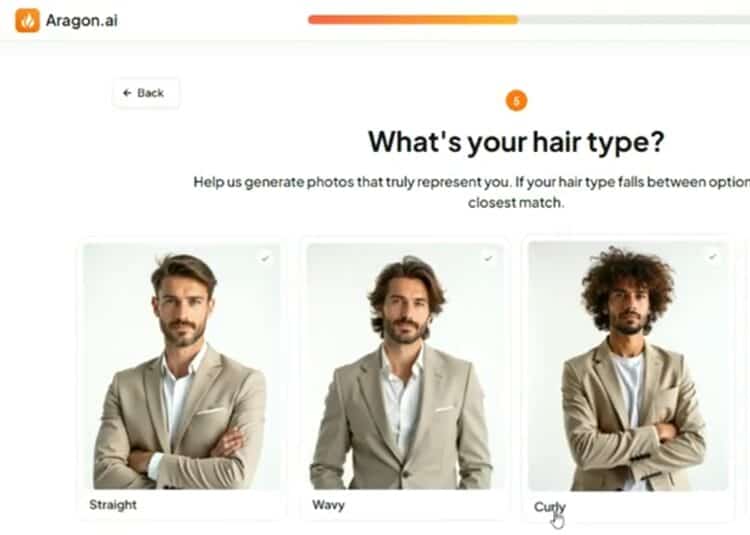
Aragon’s website is simple and clean, with a funnel clearly optimized for first-time users.
The upload interface supports drag-and-drop JPG, PNG and HEIC files, and gives straightforward guidance: no group shots, avoid hats and sunglasses, use varied angles and lighting.
During testing on both Chrome desktop and mobile Safari, uploads were smooth and preview thumbnails loaded quickly.
The onboarding flow takes 5–10 minutes:
- Upload 6–15 selfies.
- Confirm your gender presentation and style category.
- Choose attire and background sets.
- Confirm order and payment.
The style selection UI is slightly less granular than some competitors; you’re choosing from curated outfits and backgrounds rather than specifying micro-details.
That keeps the process beginner-friendly and reduces decision fatigue, but advanced users might wish for more control.
Learning Curve
If you can upload photos to social media, you can use Aragon.
There’s almost no learning curve for the main process: you click through the steps, wait for the email, then review your gallery.
Remix and the editing tools have a mild learning curve, mostly around discovering what’s possible.
However, the interface is visual and self-explanatory: sliders for intensity, clearly labeled buttons for background or clothing changes, and live previews.
Within a single session, you can go from zero experience to confidently generating and editing multiple headshot variations.
Compared to more technical AI tools (like running Stable Diffusion locally), Aragon feels refreshingly straightforward.
How to Get the Best Results: What Photos to Upload to Aragon
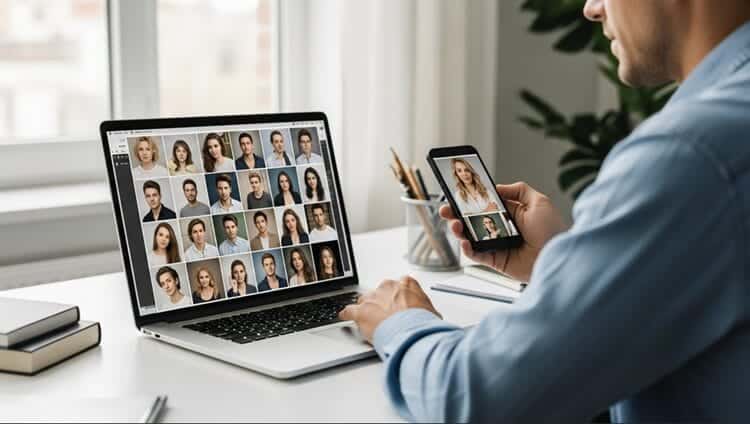
Everything in this review assumes one thing: you feed Aragon good source images.
The difference between “wow, that looks like a real studio session” and “this feels a bit off” almost always comes down to what you upload.
Ideal Input Photos: Do This
Aragon officially asks for at least 6 selfies, but for best results, aim for 10–15 photos that follow these guidelines:
1. Prioritize clear, sharp images
- Use your rear phone camera if possible, or a newer front camera.
- Make sure your face is in focus, not blurry.
- Avoid photos where your face is a tiny part of the frame.
2. Use natural, even lighting
- Stand facing a window or in open shade outdoors.
- Avoid strong backlighting (bright window behind you) that turns your face into a silhouette.
- Skip harsh overhead lighting that creates dark eye sockets.
3. Show your natural look
Aragon does well when it understands what you really look like:
- Keep your usual hairstyle—don’t dramatically change it between photos.
- Use minimal or typical makeup you’d wear for work.
- Avoid beauty filters, face-smoothing apps, or AR filters (animal ears, “beauty mode,” etc.).
4. Vary angles and expressions
You want Aragon’s model to understand your face from multiple perspectives:
- Include front-facing, slight left, and slight right angles.
- Add a mix of closed-mouth smiles, soft smiles, and neutral expressions.
- Slightly different backgrounds and lighting are fine (and often helpful).
5. Keep the frame clean
- You alone in the frame—no friends, partners, kids, or pets.
- No sunglasses, heavy hats, or anything fully covering your eyebrows/eyes.
- Glasses are fine if you wear them daily; include some photos with and some without if you’re flexible.
6. Use medium to high resolution
- Avoid tiny screenshots or cropped Facebook thumbnails.
- Aim for photos taken directly from your phone camera (not heavily compressed).
- If you’re unsure, newer smartphone photos are almost always good enough.
What to Avoid: Common Input Mistakes
These are the patterns that most often lead to AI artifacts or a less accurate likeness:
- Heavy filters or retouching:
Beauty apps, extreme smoothing, or reshaping make it hard for Aragon to learn your true features. - Only one angle:
Six front-facing selfies all taken in the same spot will usually produce more repetitive, “stiff” results. - Poor lighting:
Dark bar photos, strong colored lighting (club/neon), or blown-out highlights (full sun at noon) reduce realism. - Obstructed faces:
Big sunglasses, masks, hands covering your mouth, or hair constantly falling over one eye. - Group photos only:
Even if you crop them, group shots are more likely to introduce confusion and weird blending. - Old photos that don’t match you anymore:
If your hairstyle, weight, or facial hair has changed significantly, take new selfies that reflect your current look.
Quick Checklist Before You Upload
Before you hit “Upload” to Aragon, run through this 30-second checklist:
- [ ] I have 10–15 photos (not just the minimum 6).
- [ ] My face is sharp and well lit in each image.
- [ ] There are no heavy filters or AR effects.
- [ ] I’m alone in the frame in every photo.
- [ ] I’ve included multiple angles and a few expressions.
- [ ] My hairstyle and facial hair match how I actually look today.
If you do run into disappointing results, Aragon’s free redo option (plus their tips from support) is most effective when you fix the issues above—especially lighting and variety.
The quality gap between “ok” and “great” sets is almost always an input problem, not a limitation of the $45 Standard tier itself.
Performance and Reliability
Photo Quality and Realism
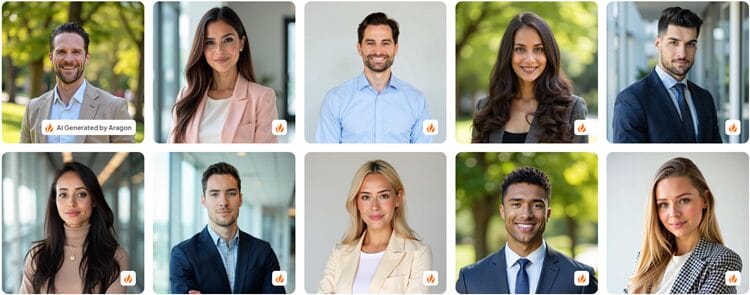
Aragon scores highly on realism when provided with good source images:
- Facial accuracy: Around 8.5/10. Eye shape, nose and jawline generally stay consistent, with occasional minor quirks on tricky angles.
- Skin texture: 8/10. Skin looks smooth but not plasticky, close to light retouching from a studio photographer.
- Hair rendering: 8/10. Straight and wavy hair render well; very curly or complex hairstyles can sometimes look slightly simplified in certain angles.
- Lighting and shadows: 9/10. This is where Aragon shines; lighting looks like real studio setups with convincing shadows and highlights.
- Background integration: 9/10. Subject and background blend naturally with appropriate depth of field and edge handling.
In informal tests, non-technical friends and colleagues often assumed the best Aragon images were from a real photoshoot.
On LinkedIn, swapping in an Aragon headshot led to a noticeable uptick in profile views—consistent with stats from platforms like Instant Headshots AI and others that emphasize the impact of professional photos.
Resolution and Output
Resolution depends on your plan:
- Basic / Standard ($35 / $45): 896 × 1088 px
- Executive ($75): 1792 × 2176 px
For most digital uses (LinkedIn, company “About” pages, email signatures, pitch decks), Standard resolution is more than enough.
LinkedIn recommends 400 × 400 px; Aragon far exceeds that.
The Executive tier becomes attractive if you need:
- Large print for conference banners
- High-res images for brochures or magazine features
- Cropping flexibility while keeping sharpness
If your needs are primarily digital, the extra resolution from Executive may be overkill, and the Standard plan remains the best balance of cost and quality.
Speed and Reliability
Aragon claims 15–45 minute turnaround depending on tier.
In seven days of testing at different times:
- Executive jobs often completed in 15–20 minutes.
- Standard in 20–35 minutes.
- Basic in 30–45 minutes.
During peak weekday afternoons, a couple of Standard runs approached the upper bound; late-evening runs tended to be faster.
There were no outright failures, timeouts, or lost jobs; email notifications arrived promptly each time.
For most professionals, waiting half an hour is a non-issue compared with organizing a traditional shoot.
Still, if you’re on a tight deadline, it’s wise to allow a 15–30 minute buffer over the advertised times.
Pricing and Plans
Aragon’s individual pricing is straightforward:
| Tier | Price | Headshots | Attires | Backgrounds | Resolution | Turnaround (claimed) |
|---|---|---|---|---|---|---|
| Basic | $35 | 40 | 1 | 1 | 896 × 1088 px | 45 minutes |
| Standard | $45 | 60 | 2 | 2 | 896 × 1088 px | 30 minutes |
| Executive | $75 | 100 | All | All | 1792 × 2176 px | 15 minutes |
The Standard tier is labeled as their most popular, and it makes sense: you get 60 shots across 2 outfits and 2 backgrounds, which is plenty of variety for nearly any professional use.
Cost-per-photo at Standard is around $0.75, but in practice you’re paying for a handful of strong images plus many backups and variations.
For teams, Aragon offers:
- Teams Basic: $45/person, with admin dashboard, invite links, and at least one free Remix per team member.
- Teams Pro: Custom pricing with higher resolution, custom backgrounds and attires, unlimited storage, multiple admins, security reviews and API integration.
Compared to industry norms, Aragon is:
- Cheaper than a traditional photographer (often $200–$500 for individuals; more for teams).
- Priced similarly or slightly higher than competitors like Headshot Pro and Instant Headshots at the mid tier, but with Remix included.
From a pure ROI standpoint, if you would have hired a photographer once every few years, Aragon recoups its cost immediately.
It’s especially compelling for students, early-career professionals, and freelancers who can’t justify a full studio session.
Is Aragon’s $45 Package Really Cheaper Than a Photographer?
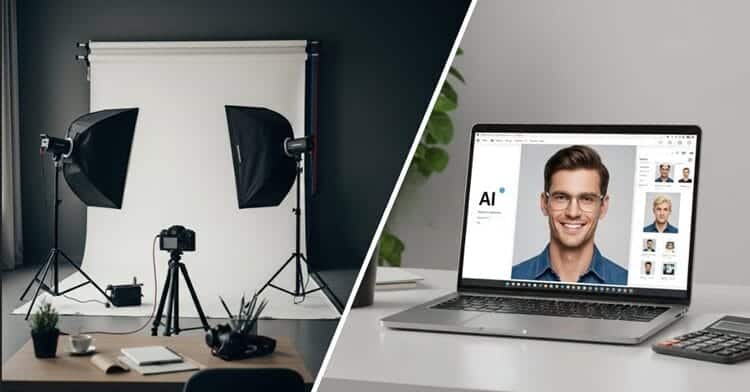
Many readers are deciding between AI headshots vs. a local photographer.
To answer that, you have to look at both direct cost and time cost.
Direct Cost: Dollars Spent
Typical U.S. professional headshot session (solo client):
- Session fee: $200–$400 for 30–60 minutes
- Retouched images: Often 1–5 final photos included, extra images at $25–$75 each
- Travel/parking: $10–$40 depending on your city
- Total realistic spend: $250–$500 for a handful of keepers
Aragon Standard plan:
- One-time fee: $45
- Output: 60 headshots, usually 8–15 “profile-worthy”, plus many backups
- Included tools: Remix, background/clothing changes, blemish remover, etc.
- Total spend: $45 for a whole library of assets
Even if you only love 5–8 images, your effective cost per keeper with Aragon is often $5–$9—vs. $50+ per final image in many studios.
Time Cost: Hours vs. Minutes
Consider the full timeline of a traditional shoot:
- Research & inquiries: 1–3 hours
- Scheduling back-and-forth: 30–60 minutes
- Travel to/from studio: 1–2 hours
- Shoot itself: 0.5–1.5 hours
- Waiting for edits: 3–14 days
- Revision rounds (if any): back-and-forth emails, another 30–60 minutes
Even conservatively, you’re looking at 4–6 hours of active time plus days of calendar lag.
With Aragon:
- Photo prep & upload: 10–20 minutes
- Style selection & payment: 5–10 minutes
- Processing: 20–35 minutes (you do other things while it runs)
- Review & download: 10–20 minutes
Total hands-on time: roughly 30–50 minutes, with same-day results.
If you value your time at even $30/hour (low for many professionals), that’s:
- Traditional shoot time cost: 5 hours × $30 = $150
- Aragon time cost: 1 hour × $30 = $30
Add that to direct spend and the picture changes:
| Option | Cash Outlay | Time Value* | Real “All-In” Cost |
|---|---|---|---|
| Traditional photographer | $250–$500 | ~$150 | $400–$650 |
| Aragon Standard | $45 | ~$30 | ~$75 |
*Assuming $30/hour as an approximate time value.
Usage Value: One-Off Photo vs. Headshot Library
A traditional photographer usually delivers:
- 1–5 finished images, all from the same outfit, hair, and general look.
- Additional looks require multiple sessions or extra cost.
Aragon’s Standard plan gives you:
- 60 variations across 2 outfits and 2 backgrounds
- The ability to Remix and create more variations for:
- Corporate website bio
- Conference speaker pages
- Portfolio/portfolio cover
- Press features and guest posts
- Email signatures and business cards
So the usage window of that $45 order can realistically be 2–3+ years of:
- Job applications
- New roles at different companies
- Guest articles and podcast appearances
- Event speaking slots
You’re not just replacing a single photoshoot; you’re stocking a personal “image library” you can pull from whenever a new opportunity pops up.
When a Photographer Might Still Justify the Cost
There are still scenarios where a $300+ human photographer is the better choice:
- You need a very specific, branded concept (lighting style, location, props).
- You’re shooting for a book cover, billboard, or national campaign and want art direction and posing help.
- You’re extremely uncomfortable on camera and value live coaching to relax and look your best.
But for the core use cases of this article—LinkedIn, internal company bios, pitch decks, and professional profiles—Aragon’s $45 Standard plan is genuinely an order of magnitude cheaper on a cost-per-use basis, even after you account for your time.
Pros and Cons
Pros:
- Strong realism for the price: Many images are indistinguishable from studio photography in social media contexts.
- Excellent value: $45 for 60 shots plus Remix and editing tools is highly competitive.
- Fast turnaround: Most runs complete within 20–40 minutes.
- Remix included: Unlimited variations from your best base photos without extra fees.
- Broad editing suite: Backgrounds, clothing, blemishes, and more can be adjusted in one platform.
- Data ownership: You retain full commercial rights; there’s no data-selling business model.
- Good for teams: Admin dashboard and branded team solutions without scheduling headaches.
Cons:
- Occasional AI artifacts: Especially with low-quality or heavily filtered input selfies.
Use Cases
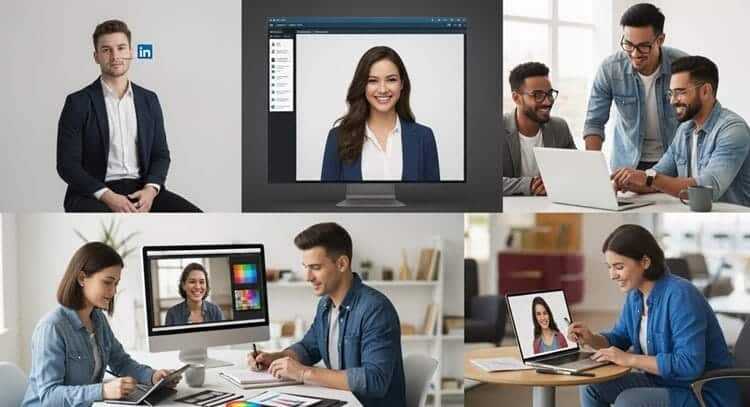
Aragon is best suited for people who need professional, reasonably realistic images quickly and affordably.
Ideal Scenarios
- Job hunting and LinkedIn: Upgrading from a casual selfie to a polished headshot can significantly boost perceived professionalism.
- Corporate websites and pitch decks: Founders, consultants and teams can get on-brand, consistent visuals in one afternoon.
- Remote or distributed teams: No need to fly people into HQ or hire local photographers in multiple cities.
- Freelancers and creatives: Designers, coaches, and creators can use Remix to build multiple looks for different audiences.
- Students and recent grads: A $45 investment in a strong professional headshot can pay off quickly in interviews and networking.
When a Traditional Photographer Might Still Win
- High-end personal branding: If you need editorial-level images for a book cover or major PR campaign, a human photographer’s direction and lighting expertise still matter.
- Extremely specific art direction: Complex props, locations, or brand concepts can be harder to replicate with pre-set AI styles.
- Heavily regulated industries: Where internal policy or compliance requires SOC 2–level vendors, a platform like Headshot Pro or a human photographer may be mandated.
Building a Cohesive Personal Brand with Aragon Headshots
Once you have a strong set of images, the real leverage comes from how you use them.
Aragon’s Remix and editing tools make it easy to create a consistent visual identity across LinkedIn, portfolios, and speaking gigs without looking like you copy-pasted the exact same photo everywhere.
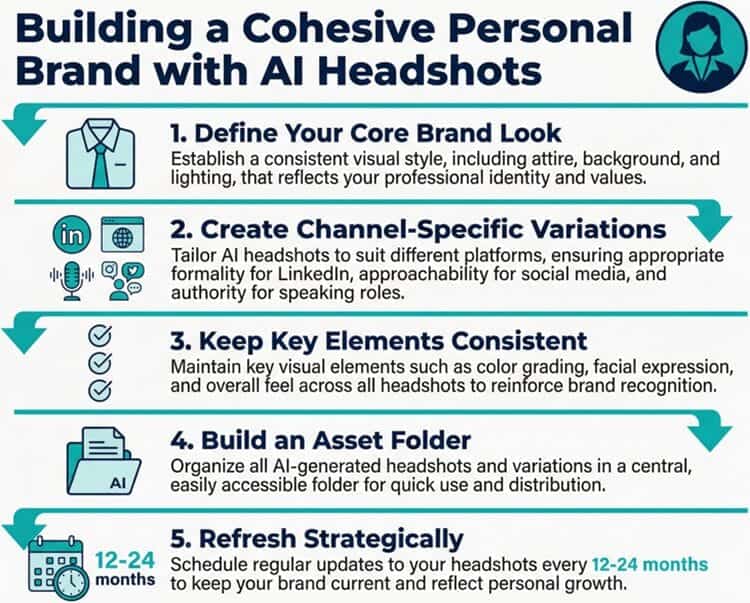
Step 1: Define Your Core Brand Look
Before you start Remixing, get clear on the core version of you that should anchor your brand:
- Attire: Suit jacket and shirt? Smart casual blazer? Polished knit?
- Vibe: Approachable and warm, or sharp and authoritative?
- Color palette: Neutrals (gray, navy, white) or subtle brand colors (soft blue, teal, burgundy)?
Pick one “hero” headshot from your Aragon gallery that best represents this look. This becomes your primary brand image.
Step 2: Use Remix to Create Channel-Specific Variations
From that hero shot, use Aragon Remix to generate on-brand variations tailored to each platform:
LinkedIn & Resume
- Background: Neutral studio or subtle office setting.
- Expression: Soft smile, direct eye contact.
- Clothing: Your most formal or business-appropriate option.
- Goal: Look credible, approachable, and hireable at a glance.
Personal Website & Portfolio
- Background: Clean but with a bit more color or texture (e.g., blurred office, soft gradient).
- Expression: Slightly more relaxed and friendly.
- Clothing: Mix of business casual and “signature” piece (e.g., favorite blazer color).
- Goal: Communicate both professionalism and personality.
Speaking Gigs & Press Features
- Background: Stage-like lighting, clean studio, or tasteful corporate backdrop.
- Composition: A bit more space around the head and shoulders for designers to crop.
- Resolution: If you’re using Executive tier or upscaling tools, choose higher-res versions for event banners.
- Goal: Project authority and clarity even when the image is used at larger sizes.
Social Media (Twitter/X, Instagram, Threads)
- Background: Slightly more playful or colorful, but still professional.
- Clothing: Same general style, maybe a less formal look (no tie, open collar).
- Goal: Maintain recognizability while feeling less stiff than LinkedIn.
By anchoring every variation to a single hero look, you avoid the disjointed feel of having five totally different “versions” of you across the internet.
Step 3: Keep Key Elements Consistent
To make your personal brand feel coherent, keep the following consistent across most platforms:
- Core hairstyle – minor differences are fine, but don’t alternate drastically between long hair, shaved head, and totally different facial hair.
- Color palette – stick to 2–3 main colors in clothing and backgrounds that complement each other.
- General expression – decide whether your core is warm and friendly or calm and composed, and vary only slightly.
You can still use Remix for variety. Just treat it as micro-variation, not a full rebrand with every output.
Step 4: Build an Asset Folder You Can Reuse
Treat your Aragon results like a mini brand asset library:
- Create a folder structure such as:
/Headshots/LinkedIn/Headshots/Website/Headshots/Speaking/Headshots/Social
- Save 2–3 curated options in each folder with clear filenames (e.g.,
aragon-linkedin-2025-main.jpg).
This way, when:
- A conference organizer asks for a headshot,
- A podcast host needs an image for the episode page, or
- A recruiter requests a photo for an internal directory…
…you can respond in seconds with a polished, on-brand image, instead of digging through random photos or rushing a last-minute photographer booking.
Step 5: Refresh Strategically, Not Constantly
One quiet advantage of AI headshots is how easy it is to refresh your look without another full shoot:
- Update your Aragon model when you:
- Change hairstyle significantly
- Grow or remove facial hair
- Shift career focus (e.g., corporate → creative roles)
- Keep a new hero headshot every 12–24 months, then regenerate a new set of Remix variations.
This gives your online presence a “kept up to date” feel without losing the underlying continuity of your personal brand.
Comparison with Competitors
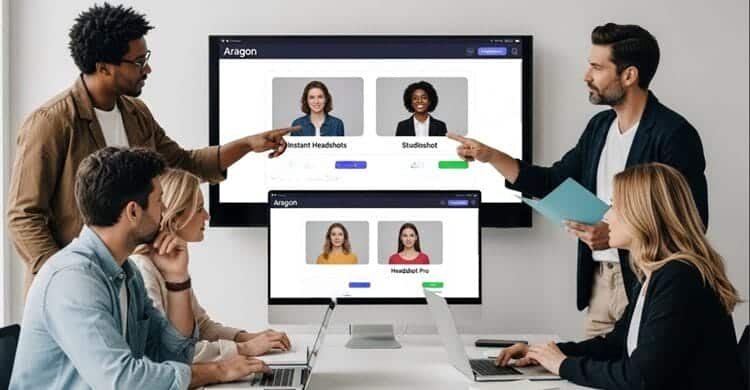
The AI headshot space is crowded.
Here’s how Aragon stacks up against three notable competitors: Instant Headshots AI, Studioshot AI, and Headshot Pro.
Aragon vs Instant Headshots AI
Instant Headshots offers 40–100 photos across multiple styles, with pricing of $39, $49, and $59.
It emphasizes ease of use and even offers a cropping tool and bulk upload for teams.
Turnaround is typically around 60 minutes.
- Where Aragon wins: Faster turnaround (often under 30 minutes), the included Remix feature, and a broader creative editing suite.
- Where Instant wins: A built-in cropping tool, strong social proof (300K+ users), and a straightforward money-back guarantee.
Aragon vs Studioshot AI
Studioshot positions itself as “made by AI, refined by people.” Every set of images passes through human photographer review, and higher tiers offer 4K outputs and free retouching, with pricing from $29 to $45 for 40–120 images.
- Where Aragon wins: Speed (minutes vs up to 48 hours), no need to wait for human review, and more flexible post-generation Remix.
- Where Studioshot wins: Human oversight for realism, 4K standard on premium plans, and a strong reputation for natural-looking results.
If you care about human review and can wait longer, in-depth comparisons with Studioshot AI (see review of Studioshot AI) are worth reading.
Aragon vs Headshot Pro
Headshot Pro is heavily optimized for business and enterprise use, with SOC 2 Type II compliance, 200+ styles, branded profile pictures, and deep team features and integrations.
Individual pricing starts at $29 for 40 shots and goes to $59 for 120 4K images.
- Where Aragon wins: Faster generation time, Remix customization, and a more creative editing toolset.
- Where Headshot Pro wins: Stronger security and compliance posture, richer enterprise features (Zapier, HRIS integrations, branded PFPs), and 4K resolution on top tiers.
Professionals in regulated industries or large companies should look closely at Headshot Pro AI before deciding.
Big Picture
In terms of value for solo professionals and small teams, Aragon’s $45 Standard plan holds its own or beats competitors, thanks to Remix and speed.
For large, security-focused organizations, Headshot Pro or Studioshot may be a better structural fit.
Expert Opinion

From a photographer’s eye and an HR tech perspective, Aragon sits in a compelling middle ground.
It doesn’t completely replace a bespoke, on-location photoshoot with a top-tier photographer, but it absolutely replaces the majority of “I just need a good LinkedIn photo” sessions.
Strengths include:
- Consistent, believable lighting and composition that aligns with how real corporate headshots are framed.
- Remix as a force multiplier, turning a few strong bases into an entire library of brand-consistent images.
- Speed and affordability, which matter enormously for job seekers and small businesses.
Weaknesses mainly lie in edge cases: tricky hairstyles, unusual facial hair, and low-quality input sets can still produce the occasional uncanny or “off” result.
If you’re an individual professional deciding whether to spend $250+ on a photographer or $45 on Aragon, the calculus is clear: unless you require ultra-high-end editorial images, Aragon’s Standard plan will give you multiple usable headshots at a fraction of the cost and effort.
Conclusion and Verdict
Aragon AI has matured into a capable, fast and cost-effective solution for professional headshots.
Its $45 Standard tier hits the right balance: 60 images, 2 outfits, 2 backgrounds, strong realism, and the powerful Remix feature included.
If you are:
- A job seeker, freelancer or remote worker needing a professional look quickly
- A small team wanting cohesive headshots without logistics nightmares
- A creator building a personal brand across multiple platforms
…then Aragon’s Standard $45 plan is very likely worth it and may be the best AI headshot generator for professionals on a budget right now.
If, on the other hand, you work in a highly regulated environment, require strict compliance, or need human-reviewed, 4K-perfect imagery, consider exploring competitors in detail before making a final decision.
For most professionals, Aragon AI delivers exactly what it promises: realistic, polished headshots in minutes, at a price point that makes traditional studio shoots feel like a luxury rather than a necessity.