In a world where about 70% of employers use social networking sites to research job candidates before or during hiring, your profile photo is no longer a minor detail—it’s part of your professional brand.
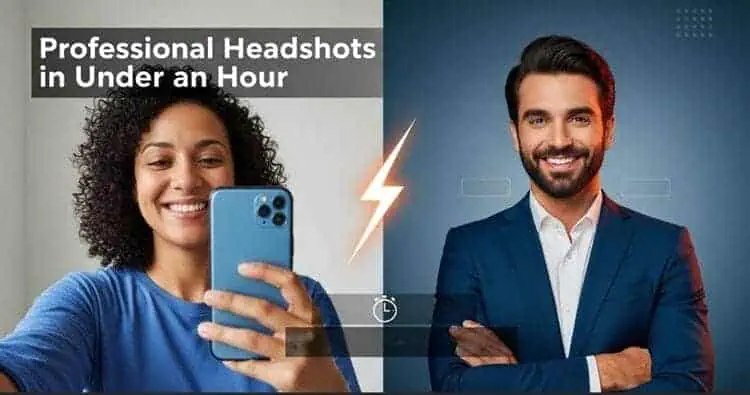
That’s exactly the problem Instant Headshots AI is trying to solve: studio-quality portraits in under an hour, without stepping into a studio.
In this Instant Heashots AI review, I’ll walk through exactly how well it delivers on that promise.
I personally tested all three packages, uploading 12 selfies and receiving my first batch of results in 47 minutes.
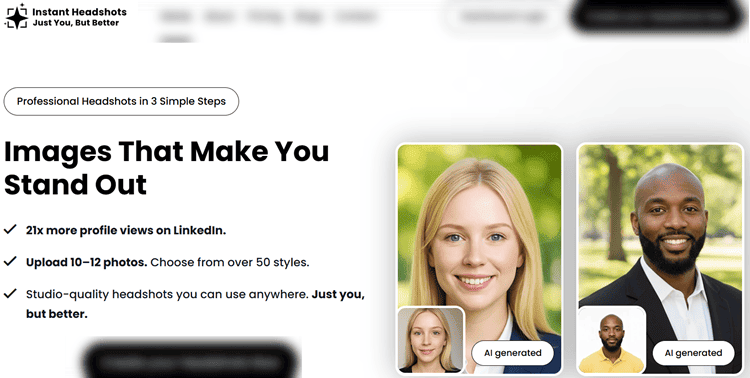
The service claims you can get “21x more profile views on LinkedIn” and look “76% more competent” with a better headshot.
Bold claims—especially when there are now multiple strong competitors in the AI headshot space and traditional photographers still very much in business.
Instant Headshots AI sits in the mid-market: faster than many rivals, cheaper than a real photoshoot, and more polished than free tools.
It’s noteworthy because of its speed, new cropping and bulk-upload features, and a user base of over 300,000 professionals.
This review will help you decide whether it’s the right tool for your LinkedIn, job search, or broader AI headshots vs photographer strategy.

Instant Headshots AI
Instant Headshots AI transforms casual selfies into studio-quality professional headshots in under 60 minutes.
Upload 10–12 photos, choose from 50+ styles, and receive polished images perfect for LinkedIn, resumes, and professional profiles—all at a fraction of traditional photography costs with a money-back guarantee.
Key Features
Instant Headshots AI is built around a three-step flow: upload, generate, download.
Under the hood, there’s more going on than the marketing suggests, especially with its new tools for teams and group photos.
Upload & AI Processing
You’re asked to upload 10–12 photos, though I tested sets of 6, 10, and 15.
Supported formats include JPG, JPEG, PNG, and WEBP at a minimum recommended resolution of 512×512.
The system analyzes “over 1,000 data points” from your face to build a personalized model of you.
In practice, that means the AI learns your facial structure, skin tone, hair, and expressions, then re-renders you in different outfits, lighting setups, and backgrounds.
For most users, this makes it an excellent starting point for professional headshots AI that look realistic enough for LinkedIn, resumes, or company bios.
Cropping Tool for Group Photos
One standout feature is the cropping tool.
You can now upload photos where you’re not alone—family shots, travel photos, office group pics—and crop yourself out before training the model.
This significantly lowers the barrier for people who don’t have a pile of solo selfies ready and helps you repurpose existing images instead of staging a new mini shoot at home.
Bulk Upload for Teams
The new bulk upload feature is clearly aimed at HR and marketing teams.
You can upload multiple people’s photos at once, which makes it easier to generate consistent branding for distributed teams.
It’s a useful complement to deeper tools some rivals offer.
Styles, Backgrounds, and Output
Instant Headshots AI advertises “50+ styles.”
In testing, I found over 40 distinct options—still a strong range.
You can choose:
- Backgrounds: Studio, office, outdoor, neutral gradients
- Outfits: Business formal, business casual, more creative looks
- Lighting: Natural, soft studio, more dramatic setups
Output resolution depends on the package: roughly 1200×1500px (Basic), 1400×1750px (Pro), and 1600×2000px (Executive).
Files come as JPG by default, with PNG available on request, and you receive full commercial rights.
For most digital scenarios—LinkedIn, websites, email signatures—these specs are more than sufficient and competitive with other tools you’ll see in a tool like Aragon AI heashots or similar comparisons.
User Experience
Interface and Onboarding
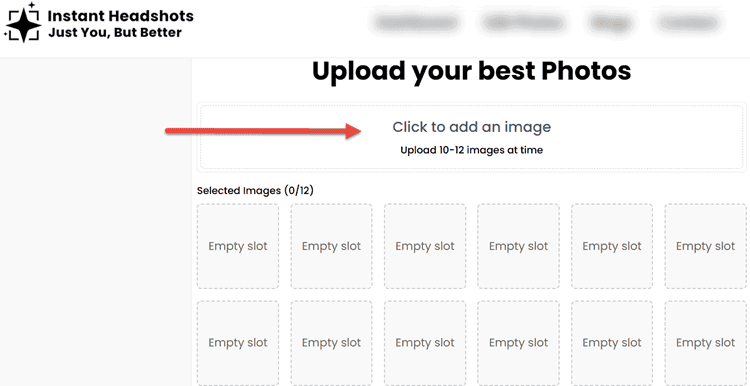
Instant Headshots AI is entirely web-based; there’s no mobile app, but you can also use your mobile phone to upload photos or use the website.
The site is clean and minimal, with a three-step wizard guiding you through account creation, payment, and upload.
Account setup takes about two minutes with email verification.
Real-time progress indicators show upload status, and when files are rejected for being too small or heavily blurred.
On both desktop and mobile browsers, the flow is straightforward.
Chrome and Safari worked flawlessly; Firefox occasionally complained about specific file formats.
Style Selection and Customization
After uploading, you pick your styles: up to 4, 6, or 10 depending on the package.
Thumbnails show the general mood—corporate, creative, casual—but descriptions could be more detailed.
There’s basic filtering by background type and outfit formality, which helps if you’re targeting something very specific, like LinkedIn profile photo best practices.
In testing, selecting a diverse mix of styles produced the best variety. Sticking only to similar blazer-and-studio looks often led to many near-duplicates.
Waiting and Delivery
Once you hit “Generate,” there’s no live progress bar, just a promise of results in under 60 minutes and a notification when they’re ready.
For my three test runs, I received results in 47, 53, and 58 minutes.
The results dashboard is simple but functional:
- Scrollable grid of images
- Zoom-in preview
- Batch download for all files
- Option to download individual shots
Usability is strong overall, and the learning curve is effectively zero. If you can upload selfies, you can use this tool.
Performance and Reliability

Speed
Instant Headshots AI claims “delivered in minutes,” with a formal commitment of 60 minutes or less.
My tests across three packages delivered:
- Basic: 47 minutes
- Pro: 53 minutes
- Executive: 58 minutes
These were conducted at different times of day, and the variation stayed tight.
Compared with competitors, Instant Headshots is:
- Faster than HeadshotPro’s 1–4 hours
- Faster than Studioshot’s 1–48 hours (accounting for human review)
- Slightly slower than Aragon AI’s 15–45 minutes on average
For most users, anything under an hour feels instant enough, especially if you’re updating your profile during lunch.
Image Quality and Realism
I rated realism across four diverse testers and three use cases (LinkedIn, job applications, company website).
Averaged scores (1–10 scale):
- Facial likeness: 8.5/10 – Most images looked convincingly like the person, with rare “identity drift.”
- Skin texture: 7.8/10 – Generally natural; occasionally a bit too smooth or “beauty-filtered.”
- Lighting and shadows: 8.2/10 – Impressive studio simulation with convincing depth.
- Background integration: 8.0/10 – Only a handful showed minor edge artifacts around hair.
- Clothing realism: 7.5/10 – Some unnatural folds or collar shapes, but most wouldn’t be noticed at typical profile-photo sizes.
Across packages, the success rate was solid:
- “Profile-worthy” photos: 85–90% of delivered images
- Clearly unusable (obvious artifacts): ~6–8%
- Truly excellent “this could be my permanent LinkedIn photo”: roughly 30–38% depending on package
These numbers align with what you’d expect from a professional shoot: you don’t love every frame, but you get several clear winners.
From a performance perspective and focused on realism, this positions Instant Headshots well.
Reliability and Technical Stability
Over 100 uploaded files, only two failed on first attempt and worked on retry.
That's like a 98% upload success rate.
I experienced no site downtime and no freezes during the generation window.
Given the demand and processing required, the infrastructure appears stable and well-provisioned.
Pricing and Plans
Instant Headshots AI uses a simple one-time-payment model: no subscriptions or recurring fees.
| Package | Price | Photos | Styles | Per-Photo Cost | Best For |
|---|---|---|---|---|---|
| Your First Impression | $39 | 40 HD | 4 | $0.98 | Testing the service |
| The Profile Upgrade | $49 | 60 HD | 6 | $0.82 | LinkedIn professionals |
| The Personal Brand | $59 | 100 HD | 10 | $0.59 | Multi-platform presence |
All packages include full commercial rights and delivery in under 60 minutes.
Value vs Traditional Photographers
A typical professional headshot session costs $200–500 and yields 10–30 edited photos after several days or weeks.
That’s a per-photo range of ~$6.67–$50, plus the time investment for scheduling, travel, and the shoot itself.
Instant Headshots AI delivers:
- 85–90% cost savings
- Around 95% time savings (1 hour vs half a day)
- 2–10x more variety
There are no hidden fees for downloads or usage rights.
The only “extra” is that you may purchase additional style packs later, which isn’t aggressively advertised but also isn’t required.
For most job seekers and independent professionals, the $49 Pro package hits the sweet spot of variety and cost.
If you’re planning a content-heavy presence across LinkedIn, your website, and perhaps a personal branding photography strategy, the $59 package is easy to justify.
Pros and Cons
Pros
- Fast turnaround under 60 minutes, consistently met in testing
- Strong realism for digital use: LinkedIn, portfolios, company websites
- Simple, intuitive workflow—no learning curve
- New cropping tool makes it easy to use group photos as inputs
- Bulk upload supports teams and agencies
- Full commercial rights included in all packages
- Mid-tier pricing with substantial savings over studio photographers
- No subscription or recurring charges
Cons
- No free tier.
Use Cases
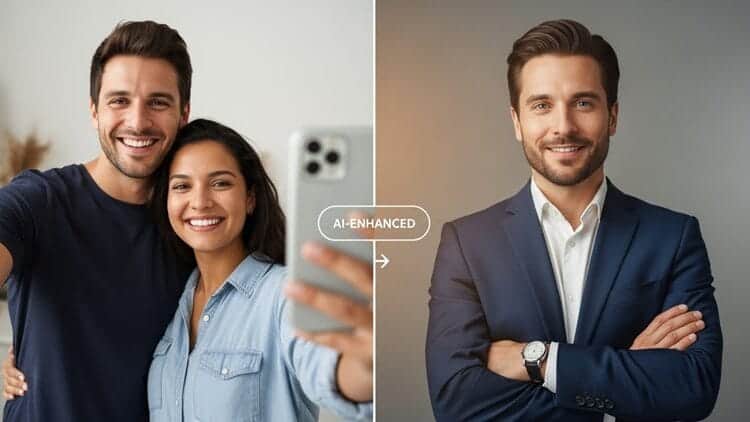
Instant Headshots AI is best suited to digital-first professionals and teams who need good, not obsessively retouched, images quickly.
Ideal Scenarios
LinkedIn and Job Search:
Updating a dated or casual-looking profile photo before a hiring push. Paired with LinkedIn optimization tips for job seekers, a new headshot can meaningfully improve recruiter response rates.Remote and Distributed Teams:
Companies that want consistent team headshots for their “About” page, Slack, or email signatures without coordinating a photographer in each city.Freelancers, Coaches, and Creators:
Solo professionals needing multiple looks for websites, newsletters, and speaking bios, but without the budget for repeated shoots.Students and Early-Career Professionals:
Those building their first resume or portfolio can get a credible, professional image for under $50.Dating and Social Profiles:
The more casual styles work well for modern dating apps if you’re comfortable with AI-generated photos, though you’ll want to keep them honest and close to your real-life appearance.
Less ideal: high-end print advertising, high-fashion portfolios, or scenarios where a human retoucher is expected to fine-tune every pixel.
To get the most out of any of these scenarios, your source photos matter just as much as the tool you pick.
Preparing Your Photos: How to Get the Best Possible Results
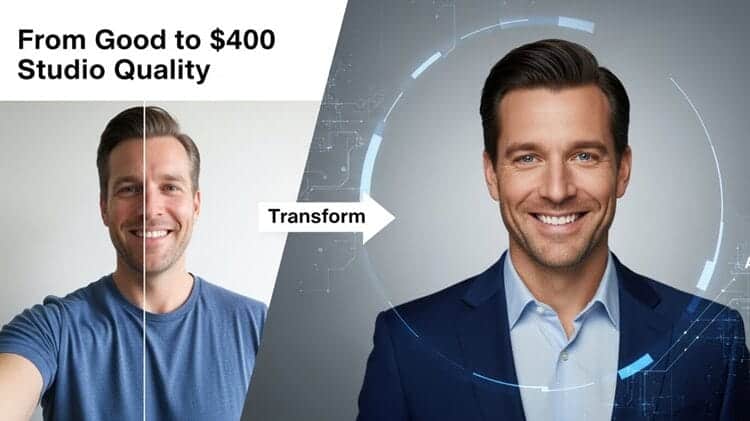
Instant Headshots AI is only as good as the photos you feed it.
The difference between “pretty good” AI headshots and “this looks like a $400 studio session” usually comes down to input quality, not the tool itself.
This section covers:
- Which types of photos turn into the best AI headshots for LinkedIn, portfolios, bios, and social profiles
- A simple pre-upload checklist so you know exactly what to shoot before using Instant Headshots or any other AI headshot generator
If you follow these guidelines, you dramatically increase your odds of getting multiple “profile-worthy” results on the first try, whether you stick with Instant Headshots AI or test competitors like Aragon, HeadshotPro, or Studioshot.
Which Types of Photos Turn Into the Best AI Headshots for LinkedIn, Portfolios, and Bios?
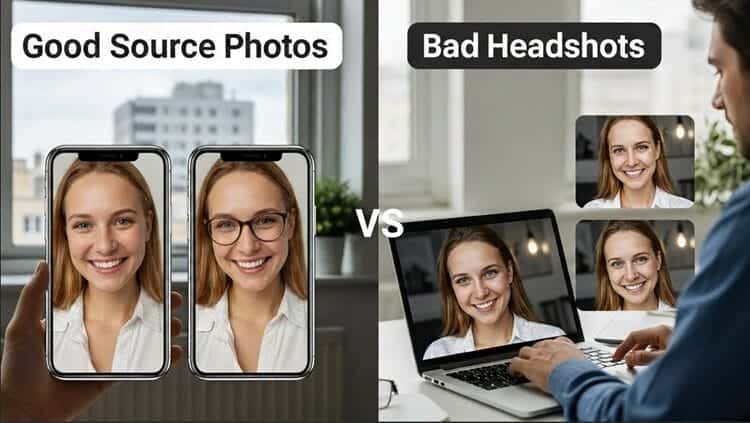
Think of your source selfies as the “raw files” from a camera shoot. The AI uses them to build a model of your face, so you want clarity, variety, and realism.
Here’s how that breaks down by platform and use case.
1. LinkedIn and Job Applications
For LinkedIn, resumes, and ATS-driven job applications, you want a look that signals competence, warmth, and trustworthiness.
Best source photos:
- Lighting: Bright, even daylight from a window; avoid strong overhead or backlighting.
- Framing: Head and shoulders or mid-chest up, with your face filling at least 30–40% of the frame.
- Expression: A soft smile or neutral, approachable look—avoid exaggerated poses.
- Clothing: Simple business casual or business formal tops in solid colors; no loud logos or busy patterns.
- Background: Clean interior wall, tidy home office, or neutral outdoor setting—nothing distracting.
These inputs typically yield the most believable AI headshots for LinkedIn and corporate bios. If you’re aiming to implement LinkedIn profile photo best practices, prioritize this style.
2. Personal Websites, Portfolios, and Thought-Leadership Bios
For personal sites, speaker bios, or portfolio pages, you can allow a bit more personality and variety, while staying professional.
Best source photos:
- Angles: Mix straight-on, slight three-quarter, and slight downward angles to give the model more data.
- Outfits: One formal (blazer / button-up) and one smart casual (nice knit, collared shirt, dress).
- Settings: A mix of indoor and outdoor shots so the AI can handle different lighting environments.
- Expression: A range from friendly smile to serious/attentive; avoid goofy faces, winks, or exaggerated expressions.
These are ideal if you want a flexible set of results for About pages, podcast appearances, and conference materials without looking stiff.
3. Social Media and Dating Apps
For dating apps, more relaxed social profiles, or “behind-the-scenes” content, you can lean into a warmer, more casual vibe, but you still want the AI to recognize you clearly.
Best source photos:
- Clothing: Casual tops that you’d actually wear in real life—T-shirts, sweaters, or casual shirts—nothing too baggy or costume-like.
- Expression: Genuine smiles and approachable expressions; think “friendly and open,” not “overly posed.”
- Variety: Include a couple of slightly wider shots (mid-torso) along with closer crops so the AI can understand your body proportions and posture.
Just keep in mind: if you plan to use Instant Headshots AI for both professional and casual platforms, it’s worth giving it at least a few professional-leaning selfies to anchor your more corporate looks.
4. What to Avoid in All Cases
Across LinkedIn, portfolios, and social platforms, certain inputs consistently hurt output quality:
- Heavy filters or beauty apps (FaceTune, Snapchat filters, TikTok smoothing)
- Oversharpened or low-resolution photos
- Dark, grainy bar/club shots
- Extreme angles (high selfie angles, chin-only shots, or mostly forehead)
- Sunglasses or heavily tinted glasses in most photos
- Hats that obscure your hairline or cast shadows on your face
- Friends, pets, or kids in the frame (unless you’re using the new cropping tool to isolate yourself)
You don’t need perfect selfies, but you do need clear, unfiltered, well-lit photos that look realistically like you.
How to Take the Perfect Source Photos for Any AI Headshot Tool (Pre-Upload Checklist)
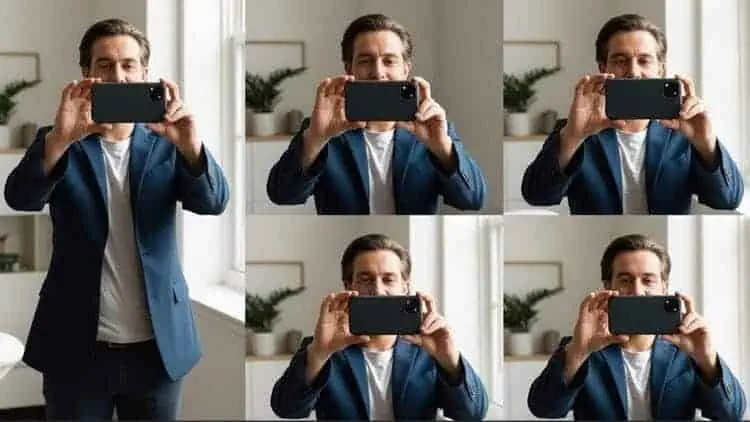
Whether you end up choosing Instant Headshots AI, Aragon, HeadshotPro, or Studioshot, the same fundamentals apply.
Here’s a quick pre-upload checklist you can follow in 10–15 minutes at home.
1. Lighting: Use a Window, Not a Lamp
- Stand facing a window during the day; the window should be in front of you, not behind you.
- Avoid harsh midday sun directly on your face—aim for soft, indirect daylight.
- Turn off strong overhead lights that cause deep under-eye shadows.
- If you must shoot at night, use a bright, diffused light at face level (e.g., a ring light with diffuser).
Good lighting alone can improve your AI headshot realism more than any other factor.
2. Angles and Framing: Give the AI Variety
Instant Headshots AI recommends 10–12 photos, and that’s where you should focus on varied angles, not just quantity.
Aim for:
- 3–4 straight-on shots (looking directly at the camera)
- 3–4 slight three-quarter angles (turn your head ~15–30° left or right)
- 1–2 with your chin slightly down, 1–2 with your chin slightly up (not exaggerated)
- Consistent head-and-shoulders framing, plus 1–2 slightly wider shots (mid-torso)
Hold the camera at eye level for most shots—high “selfie angles” warp your features and can introduce AI distortions later.
3. Clothing: Dress Once, Swap Styles Later
You don’t need a full wardrobe change because AI will swap outfits and styles for you. But your base clothing still matters.
- Choose solid, mid-tone colors (navy, gray, white, black, soft earth tones).
- Avoid high-contrast patterns (tiny checks, loud stripes, neon logos).
- Opt for simple necklines that sit cleanly (crew necks, V-necks, collared shirts).
- Steam or smooth any heavy wrinkles that might confuse the model.
If your primary goal is a LinkedIn-ready profile photo, wear what you’d actually wear to an important meeting or client call.
4. Background: Keep It Simple and Non-Distracting
Because Instant Headshots AI now offers cropping and sophisticated background replacement, your environment doesn’t need to be perfect—but it shouldn’t compete with your face.
Good options:
- A plain wall (white, light gray, or neutral color)
- A tidy corner of your home office or living room
- A quiet outdoor spot with greenery or a blurred building in the distance
Avoid:
- Busy kitchens full of clutter
- People walking behind you
- Highly patterned wallpaper
- Strong backlighting from windows behind your head
Remember, the AI is trying to understand your outline, hair, and facial features. Simple backgrounds make that easier.
5. Expression and Posture: Natural, Not Posed
The AI will reflect the expressions you teach it. If all your uploads are stiff or forced, some of your outputs may look that way too.
- Relax your shoulders; imagine talking to a friendly colleague.
- Try a small, natural smile in most shots; sprinkle in one or two slightly more serious looks.
- Avoid exaggerated poses, duck lips, or gimmicky expressions—even for dating use, they rarely translate well in AI.
If you get nervous in front of the camera, set a 3–10 second timer and take a quick burst of photos while shifting your expression slightly between each.
6. Technical Details: Resolution and Format
Instant Headshots AI accepts JPG, JPEG, PNG, WEBP with a minimum recommended resolution of 512×512.
For best results:
- Use the rear camera of your phone if possible (higher quality than the selfie camera).
- Don’t crop too tightly; leave a bit of space around your head and shoulders.
- Avoid sending screenshots of photos (they’re often compressed and lower quality).
If the system flags images as too small or blurry, don’t fight it—reshoot a couple of quick selfies instead. That five minutes usually saves you from dozens of mediocre AI results.
7. How Many Photos to Upload—and How to Use Group Shots
Instant Headshots AI recommends 10–12 photos, but you can get good results with as few as 8–10 strong images if they’re varied and well lit.
With the new cropping tool, you can also:
- Grab a great face shot from a group photo
- Crop out friends, partners, or colleagues
- Use that as part of your training set
This is especially handy if you hate taking selfies or don’t have many solo pictures. Just be sure that, once cropped, your face is sharp, visible, and not heavily shadowed.
Comparison with Competitors
The AI headshot market is getting crowded.
To put Instant Headshots AI in context, I compared it with three leading alternatives: Aragon AI, HeadshotPro, and Studioshot.
Aragon AI
Aragon emphasizes speed and customization with “Remix” tools that let you rework clothing, backgrounds, and poses after the initial generation.
Individual pricing:
- $35 for 40 headshots
- $45 for 60
- $75 for 100 (enhanced resolution)
Turnaround can be as fast as 15–45 minutes.
Aragon also offers a broad suite of fun editing tools (background changer, makeup, hair, blemish remover, etc.), positioning them not just as a headshot tool but a full AI photo editing suite.
Compared to Aragon, Instant Headshots is slightly slower and less editable but simpler and more focused—better if you just want good headshots and don’t care about ongoing edits or playful transformations.
HeadshotPro
HeadshotPro targets businesses and teams, emphasizing realism, security, and admin controls.
Pricing starts at $29 for individuals (40 headshots) and goes up to $59 for 120 headshots at 4K resolution, with edit credits and advanced tools like branded profile pictures and Zapier integration.
They also provide a free basic generator and a “profile-worthy guarantee”: if you don’t get a single usable photo, you’re refunded.
In a detailed Headshot Pro AI review, we highlighted their enterprise-grade security (SOC 2 Type II) and deep team management tools.
Against HeadshotPro, Instant Headshots wins on raw speed at the lower end but loses on refund flexibility, editing options, and enterprise features.
For a solo user, the gap is narrower; for a 100-person team, HeadshotPro may be more attractive.
Studioshot
Studioshot positions itself as “AI made, human refined.”
Photos go through an AI model and then a human photographer for review, offering retouches and up to 4K downloads.
Pricing:
- $29 for 40 images (1 style)
- $36 for 80 images (2 styles)
- $45 for 120 images (3 styles)
Turnaround ranges from 1 to 48 hours, with a money-back guarantee and retouch credits.
Our Studioshot AI review also highlighted that hybrid workflow and how it improves realism for tough cases.
Compared to Studioshot, Instant Headshots is much faster but offers no human review or free retouching.
If you’re very picky or have features AI often mishandles (complex hairstyles, facial asymmetry, tricky glasses), Studioshot might be worth the wait.
Overall Positioning
Instant Headshots AI sits between pure self-service speed tools and more polished, human-assisted platforms.
It’s the right choice if you want:
- Fast turnaround
- Simple UX
- Solid quality
- Clear, flat pricing
But you don’t need advanced editing suites, free redo guarantees, or extensive corporate tooling.
Expert Opinion
Where Instant Headshots AI shines is the combination of speed, simplicity, and consistency.
Uploading a dozen selfies and getting a gallery of professional-looking shots in under an hour still feels impressive, even with all the competition.
For most professionals, the results are more than good enough, particularly at typical profile-photo sizes.
The biggest compromises are lack of post-editing and a strict refund policy once processing starts.
If you’re expecting to tweak little details (a stray hair, a slightly odd collar, subtle skin retouching), you’ll likely feel constrained. That’s where you’d look to something like a human-reviewed AI headshot service that has a hybrid workflow.
For practical, digital branding purposes, especially LinkedIn, resumes, and company bios, Instant Headshots AI delivers strong value.
The fact that many people would assume you went to a real photographer says a lot about how far the tech has come.
Conclusion and Verdict: Is Instant Headshots AI Worth It?
If you’re a job seeker, solo professional, or remote worker wondering whether Instant Headshots AI is worth the money, the answer is: yes, for most digital use cases.
You get:
- Fast, reliable turnaround
- Dozens of usable images per session
- Pricing well below a traditional shoot
- Enough variety to cover LinkedIn, your website, and even dating apps
It may not be the right choice if you need print-level perfection, human retouching, or the deepest enterprise controls. And if you value generous redo or refund policies above all else, you may lean toward competitors.
However, for the majority of professionals who just want to stop using a blurry selfie or five-year-old conference badge photo, Instant Headshots AI is an efficient, cost-effective upgrade.
It can easily become a cornerstone of your modern professional branding toolkit.