Creating YouTube Shorts consistently is one of the fastest ways to grow right now. YouTube has reported two billion monthly unique users worldwide across the platform, and Shorts sit right in the middle of that attention stream.
The problem is that “post daily” advice sounds great until you realize a single Short can take 2–4 hours to script, edit, caption, format, and polish—especially if you’re doing everything manually.
That’s why so many creators and small teams are turning to an AI YouTube shorts generator workflow to cut production time down to minutes, without sacrificing basic quality like captions, pacing, and vertical formatting.
In this roundup, we're comparing 7 leading tools based on a consistent test approach, focusing on AI capabilities, output quality, ease of use, pricing transparency, and customization.
You’ll walk away knowing which tool fits your exact use case—whether you want a true free plan, prompt-to-video automation, repurposing long videos, e-commerce promos, avatar-led scaling, or blog-to-Short repurposing.
If you also publish to TikTok and Reels, you can bookmark AI TikTok video generator for later. Many of the same workflows and content repurposing steps apply.
What Are the Best AI YouTube Shorts Generators?
Quick Picks: Editor's Recommendations.
Here's a summarized list of the best AI YouTube shorts generators and who wins which category:
- Best overall automation value: InVideo AI (idea → script → visuals → voice → captions)
- Best truly free option: Clipfly (watermark-free exports via credits)
- Best for repurposing talking-head content: Virbo (auto reframe + captions + transcript trimming)
- Best all-in-one editor suite: Filmora (AI tools + full manual control)
- Best e-commerce Shorts maker: Tagshop AI (product URL → sales-ready Short)
- Best for avatar-led scaling: HeyGen (localization, variants, API workflows)
- Best for blog/URL-to-video: Pictory (stock library + simple workflow)
Quick Comparison Table (At-a-Glance)
| Tool | Starting Price | Best For (Unique Category) | Key Feature |
|---|---|---|---|
| Clipfly | $0 (credits) | Watermark-free Shorts on a true free plan | Watermark-free exports on free tier |
| InVideo AI | $28/mo | Prompt-to-Short automation (scripts → scenes → VO → captions) | ChatGPT-like prompt workflow |
| Virbo (Wondershare) | $19.9/mo | Clipping talking-head long videos w/ auto-reframe + captions | Facial tracking + transcript editing |
| Filmora | $3.75/mo | AI generation + full editor control (desktop suite) | Full timeline editor + AI tools |
| Tagshop AI | $11/mo | Product page → conversion-focused Shorts (URL-to-video commerce) | URL-to-video for e-commerce |
| HeyGen | $29/mo | Avatar-led Shorts at scale (localization + variants + API) | Realistic avatars + batch variants |
| Pictory | $19/mo | Blog/URL-to-Short repurposing + big stock library | 10M+ royalty-free assets |
Before you choose, it helps to understand the tech differences.
What “AI YouTube Shorts Generators” Actually Do (and What They Don’t)
An AI Shorts generator is typically one of two things:
- A tool that generates a Short from text, a prompt, a URL, or a product page (script + scenes + voice + captions).
- A tool that repurposes existing footage by finding highlights, reframing for vertical, and adding captions and effects.
Under the hood, these platforms combine: text-to-video, image animation, long-form scene detection, avatar/voice synthesis, and auto-captioning.
If you want to go deeper on one of the core building blocks, explore our guide to an AI tool that turns text into videos.
Limitations still matter.
AI can speed up format work (captions, pacing, resizing), but it won’t fully replace your creative direction—especially for brand voice, nuanced humor, or highly technical niches.
The best results come when you treat AI as your production assistant, not your creative director.
The 7 Best AI YouTube Shorts Generators Compared
1. Clipfly
Best for watermark-free exports via credits.
Overview:
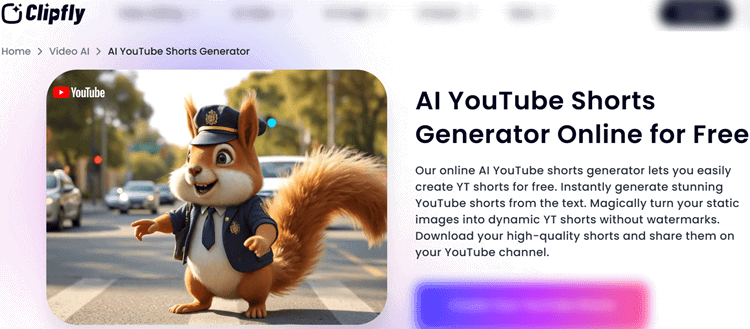
Clipfly is an online AI Shorts maker built for creators who want “good enough” Shorts with minimal setup—especially if you don’t want to pay up front.
Its biggest differentiator is that the free tier can be watermark-free, powered by a credit system you can replenish via daily actions.
Key Features:
- Text-to-video and image-to-video generation with built-in 9:16 formatting
- Multiple generation styles (realistic, cinematic, anime, cyberpunk, gaming, etc.)
- Video resizer plus simple timeline editor (music, captions, stickers, transitions)
- Long video → short video trimming and splitting tools
- Credit-based AI tools (enhance, unblur, background removal, etc.)
User Experience:
Clipfly is friendly for beginners because the workflow is linear: prompt/upload → pick style/ratio → generate → lightly edit.
The interface isn’t as refined as premium enterprise tools, but it’s consistent and easy to learn in a weekend.
If your goal is posting 2–3 times per week without spending money, it’s one of the few platforms that makes that realistic.
Pricing:
- Free: $0, watermark-free exports, limited credits (earn more daily)
- Pro: $10.99/mo or $49.99/yr (200 credits/month, 1080p export, 4GB storage)
- Business: $179.99/mo or $789.99/yr (4,000 credits/month, AI Movie, 5 licenses)
Pros:
- Watermark-free exports on the free plan (rare)
- Lots of playful styles, including anime-like looks
- Built-in editor so you can polish outputs
- Good for experimentation without financial commitment
Cons:
- When on the free plan, credit limits can slow down bulk creation
Best For:
Creators who want watermark-free Shorts on a true free plan, and don’t mind working within credits.
Expert Opinion:
Clipfly is the best “starter” option if you’re validating a content idea.
If you later scale to daily posting, you may outgrow its stock depth and credit gating, but as an entry point it’s legitimately useful.
For style-focused channels, it also pairs well with AI anime video generation experiments.
Get started with Clipfly.
2. InVideo AI
Best for idea → script → visuals → voice → captions automation.
Overview:
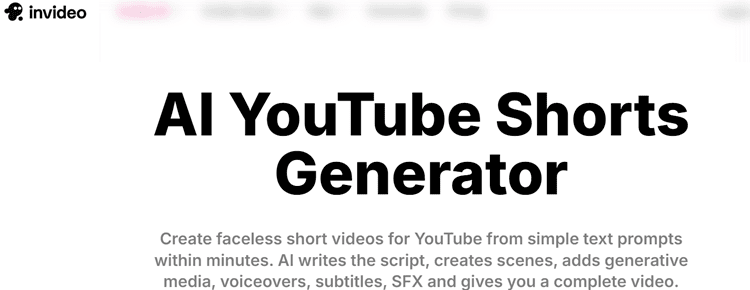
InVideo AI is built for creators who want prompt-to-Short automation—type an idea, and it can generate the script, scenes, voiceover, subtitles, music, and SFX.
If you’re looking for an AI tool that turns prompts into videos, InVideo AI is one of the strongest mainstream options.
Key Features:
- Prompt-based generation that produces complete Shorts end-to-end
- 16M+ stock assets (including premium sources on paid tiers)
- Voiceovers in 50+ languages + “express clone” voice cloning
- Magic Box: edit your video using text commands
- Team collaboration (multiplayer editing) for agencies and teams
User Experience:
The workflow feels like chatting with a creative assistant.
You gain speed, but you trade away some precision—especially if you like frame-level manual editing.
The best results come from strong prompts: clear hook, pacing instructions, and desired tone.
Once you find your prompt formula, the time savings are real.
Pricing:
- Free: 2 video mins + 1 AI credit/week, 4 exports/week (watermark)
- Plus: $28/mo yearly ($35 monthly)
- Max: $50/mo yearly ($60 monthly)
- Generative: $100/mo yearly ($120 monthly)
- Team: $899/mo yearly ($999 monthly)
Pros:
- End-to-end automation is genuinely strong
- Great voice quality and language support
- Huge asset library reduces “empty scene” syndrome
- Collaboration features help teams scale
Cons:
- Free tier is very limited and watermarked
Best For:
Prompt-to-Short automation (scripts → scenes → voiceover → captions) with minimum manual editing.
Expert Opinion:
If your bottleneck is time and consistency—especially for faceless channels—InVideo AI is an easy pick.
It's also a great fit for anyone using a tool that turns AI scripts into videos, especially when you already have scripts and want visuals generated instantly.
Get started with InVideo AI.
3. Virbo (Wondershare)
Best for repurposing talking head content.
Overview:
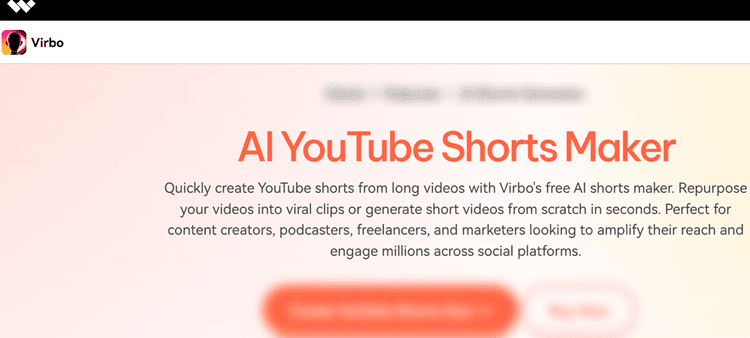
Virbo is purpose-built for turning long-form talking-head videos into Shorts.
Instead of “generate from scratch,” it focuses on finding highlights, reframing to vertical, and making captions look native to Shorts culture.
Key Features:
- Auto clip + reframe with reliable facial tracking
- Text-based editing via transcripts (delete text → remove clip)
- Animated captions in 90+ languages (strong accuracy claims)
- Scene change detection + multi-platform resizing
- Optional voice cloning on higher plans
User Experience:
Virbo shines if you already have content.
Upload a 30–60 minute interview, and it can pull multiple usable clips quickly.
The UI is more “editor” than “generator,” so beginners may need a short learning curve.
Once set up, it’s the kind of tool that can turn dead library footage into a weekly Shorts schedule.
Pricing:
No true free plan (trial may exist).
- Starter: $19.9/mo or $49.9/yr
- Creator: $27.9/mo or $79.9/yr
- Advanced: $49.9/mo or $199.9/yr
- Team plans available
Pros:
- Excellent auto-reframe for talking-head content
- Transcript editing is fast and intuitive
- Caption styling helps retention
- Strong multi-language caption support
Cons:
- No true free tier
Best For:
Clipping talking-head long videos with reliable auto-reframe and captions.
Expert Opinion:
Virbo is the most practical choice for podcasters, coaches, and webinar hosts who already have footage.
Pairing this with a separate AI-powered TikTok video editor strategy can help you publish the same highlight clips across platforms without redoing the layout every time.
To repurpose those highlights for social, combine it with an AI-powered TikTok video editor so you can publish the same clips across platforms without rebuilding the layout every time.
Get started with Virbo.
4. Filmora
Best for AI Generation + Manual Editing.
Overview:
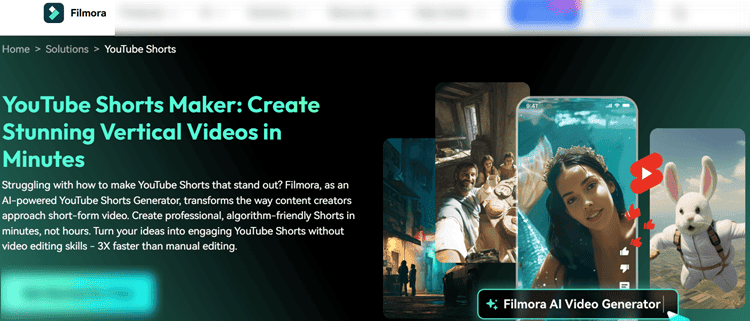
Filmora is the “hybrid” option: it gives you AI generation tools, but also a full desktop editor for hands-on creators who want total control.
If you don’t want to be locked into a black-box generator, Filmora’s timeline workflow is a big advantage.
Key Features:
- AI text-to-video, image-to-video, and audio-to-video tools
- Smart Short Clips for long video → Shorts extraction
- Reel Maker themes (vlog, game, sport) + 500+ templates
- Direct YouTube upload + AI-generated metadata ideas
- Perpetual license option (one-time purchase)
User Experience:
Filmora feels closer to “real editing,” so it’s not the fastest first-time experience.
But the payoff is flexibility: you can fix pacing, captions, music, and branding precisely.
This is the tool we recommend when creators say, “AI gets me 80% there, but I need the last 20% to look professional.”
Pricing:
- Basic: $44.99/yr ($3.75/mo)
- Advanced: $59.99/yr ($5/mo)
- Premium: $79.99/yr ($6.67/mo)
- Perpetual: $71.99 one-time
- Team plans available (note: some don’t include AI credits)
Pros:
- Best balance of AI speed + manual control
- Perpetual license helps budget-conscious editors
- Direct publishing and metadata suggestions save time
- Versatile for more than just Shorts
Cons:
- More complex than pure AI generators
Best For:
Hands-on creators who want AI generation plus full editor control.
Expert Opinion:
Filmora is a smart buy if you plan to grow long-term and want a real editing foundation.
Get started with Filmora.
5. Tagshop AI
Best for Making E-commerce Shorts.
Overview:
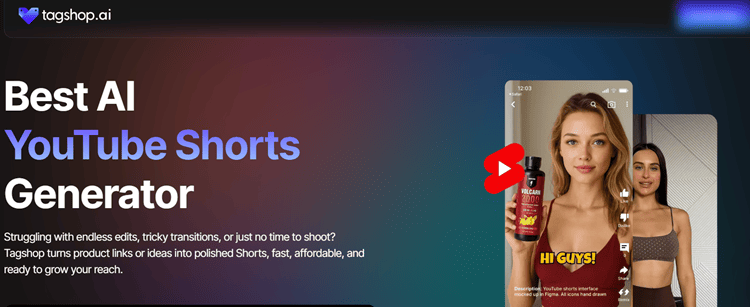
Tagshop AI is purpose-built for e-commerce: paste a product URL, and it generates a conversion-focused Short with script, visuals, avatars, and CTAs.
For online stores and affiliate promos, that “URL-to-video” differentiator is huge.
Key Features:
- Product URL → Short generation (script + creative)
- AI avatars + voiceover options in 20+ languages
- Brand customization: logos, colors, CTAs
- Batch creation for catalogs and multiple SKUs
- UGC-style outputs designed to feel native to short-form feeds
User Experience:
Tagshop is straightforward: you’re not editing a film—you’re producing ad-like Shorts quickly.
The biggest win is speed, especially when you need 10–50 product creatives for testing.
The platform is aimed at performance marketing, so expect more “campaign” thinking than creative storytelling.
Pricing:
- Free (yearly): limited credits, 1 video, watermark, 720p
- Starter: $11/mo (yearly) with 1080p and watermark removal
- Growth/Scale plans for higher volume and 4K exports
Pros:
- Best-in-class for commerce URL-to-video
- Branding and CTAs are streamlined
- Batch outputs support rapid creative testing
- Multilingual makes international scaling easier
Cons:
- Free tier is very limited and watermarked
Best For:
Turning product pages into conversion-focused Shorts for e-commerce, dropshipping, and affiliates.
Expert Opinion:
Tagshop is a practical “creative testing engine.”
Get started with Tagshop AI.
6. HeyGen
Best for Avatar-Led Scaling.
Overview:
HeyGen is the standout for avatar-led Shorts, localization, and scale.
If you want a presenter-style channel without going on camera—or you manage many client variations—HeyGen’s avatar ecosystem and workflow options are hard to beat.
Key Features:
- Realistic avatars with lip sync + custom avatar creation
- Multi-language support and translation workflows
- Batch/variant generation for hook testing
- Captions with mobile-first styling and readability controls
- API offerings for automated or high-volume workflows
User Experience:
HeyGen feels production-grade.
It’s not only about generating one video—it’s about generating 20 variations, localized, consistent, and on-brand.
It can be overkill for a casual creator, but for agencies and teams it’s one of the fastest ways to scale presenter content.
Pricing:
- Free: 3 videos/month, 720p, up to 3 minutes
- Creator: $29/mo ($24/mo yearly), 1080p, voice cloning, watermark removal
- Team: $39/seat/mo (or $30 yearly), 4K + collaboration
- API plans available
Pros:
- Best-in-class avatar workflow for Shorts
- Strong localization and variant testing
- Team workflows + API are serious scale tools
- Good caption-first, mobile-first defaults
Cons:
- Can feel expensive if you only need occasional Shorts
Best For:
Avatar-led Shorts at scale (localization + variants + API workflows).
Expert Opinion:
HeyGen is excellent for brands, educators, and agencies building repeatable formats.
If voice is your differentiator, pair HeyGen with AI voice generator for YouTube research to help your avatar sound more natural and less generic
Get started with HeyGen.
7. Pictory
Best for Blog/URL-to-Video.
Overview:
Pictory is ideal for turning text or URLs into short videos using a huge media library.
If you already write blog posts, newsletters, or scripts, Pictory’s repurposing workflow can turn written content into visual Shorts quickly.
Key Features:
- Text-to-video and URL-to-video creation
- 10M+ royalty-free videos, images, and music
- AI captions/subtitles + templates
- AI voices or uploaded voiceovers
- Long-form video highlight extraction (Zoom/webinars/podcasts)
User Experience:
Pictory’s UI is simple and marketer friendly.
You’re mostly selecting scenes, adjusting timing, and swapping assets.
It’s less about flashy effects and more about consistency and speed.
For educational channels and business content, it can be a reliable content engine.
Pricing:
- Starter: $19/mo yearly ($25 monthly)
- Professional: $29/mo yearly ($49 monthly)
- Team: $99/mo yearly ($119 monthly)
- Free trial available
Pros:
- Excellent for blog/URL repurposing
- Stock library prevents “empty visuals”
- Easy to use without editing experience
- Solid for educational and marketing content
Cons:
- Can feel templated if you don’t customize
Best For:
Repurposing blogs/URLs into Shorts with a large stock media library.
Expert Opinion:
Pictory is one of the most practical tools for creators who already publish written content.
If you’re building a faceless workflow, combine this with text to speech (TTS) for YouTube videos research so your narration sounds natural and branded.
If you’re building a faceless workflow, pair it with text to speech (TTS) for YouTube videos research to choose the right voice and pacing—so your narration sounds natural, consistent, and on-brand.
Get started with Pictory.
Side-by-Side Comparison (What Actually Differentiates Them)
Here’s the fastest way to decide:
| Tool | Primary Input | Output Strength | Watermark Reality | Best Use Case |
|---|---|---|---|---|
| Clipfly | Text / images | Quick stylized Shorts | Often watermark-free on free plan | Hobby creators & testing ideas |
| InVideo AI | Prompts | Fully automated pipeline | Watermark on free | Daily faceless Shorts |
| Virbo | Long videos | Best clipping + reframing | Typically paid | Podcasts/interviews/webinars |
| Filmora | Anything | Best manual control + AI | No watermark on paid | Serious creators & editors |
| Tagshop AI | Product URL | Commerce-first creatives | Watermark on free | Ads, affiliates, stores |
| HeyGen | Script / prompt | Avatars + scaling | Watermark on free | Teams + localization |
| Pictory | Text / URL | Stock-based repurposing | Trial-based | Bloggers/educators/marketers |
Before you decide, it’s worth getting practical about what you’ll actually need to produce Shorts with AI—and what the “real cost” looks like depending on your workflow.
What You Need to Create YouTube Shorts with AI (Assets, Prompts, Brand Kit, B-Roll)
Most creators don’t fail because the tool is “bad”—they fail because they feed the tool vague inputs.
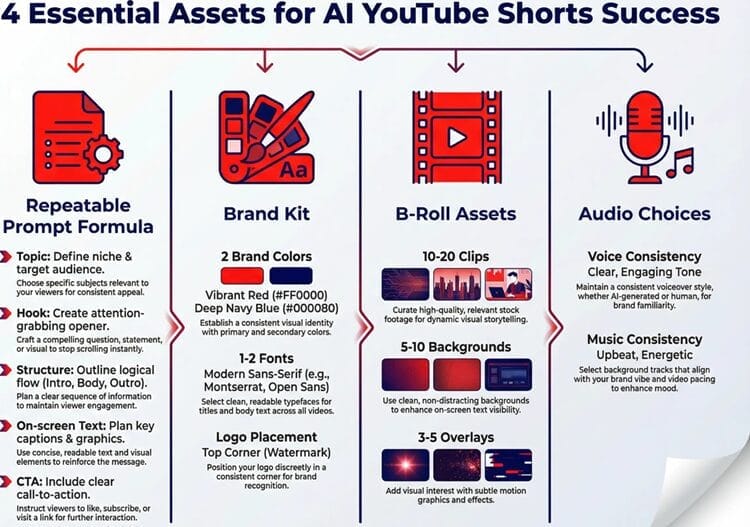
If you want consistent output from any AI YouTube Shorts generator, build a small “Shorts kit” once, then reuse it.
1) A repeatable prompt formula (your #1 asset)
Use a consistent structure so your hooks, pacing, and CTAs don’t feel random.
Example template:
- Topic + audience: “Explain X for beginners…”
- Hook style: “Start with a surprising stat / contrarian take…”
- Structure: “3 steps, fast cuts, no fluff, 120–150 words max”
- On-screen text: “Include punchy captions, 3–6 words per line”
- CTA: “End with ‘Follow for part 2’ / ‘Full video linked’”
If you’re using generation-first tools like InVideo AI or avatar workflows like HeyGen, this single prompt template is the difference between “okay” and “postable.”
2) A simple brand kit (so your Shorts look like a series)
At minimum, define:
- 2 brand colors (highlight + neutral)
- 1–2 fonts (caption font + headline font)
- Logo (optional, small placement)
Tools like Filmora, HeyGen, and Pictory benefit most here because you’ll be producing variations—and brand consistency compounds recognition.
3) B-roll / visuals (to avoid templated-looking Shorts)
Even if a platform has stock libraries, your Shorts perform better when you mix in:
- 10–20 niche b-roll clips (industry visuals, screens, product closeups)
- 5–10 simple motion backgrounds
- 3–5 “pattern interrupt” overlays (arrows, circles, quick zooms)
For repurposing workflows (Virbo) this means clean source footage; for URL/text workflows (Pictory, Tagshop AI) it means a small “visual bank” to rotate in.
4) Audio choices (voice + music rules)
Pick one voice style and stick to it.
Is It Cheaper to Use an All-in-One Editor (Filmora-Style) or a Dedicated AI Shorts Generator?
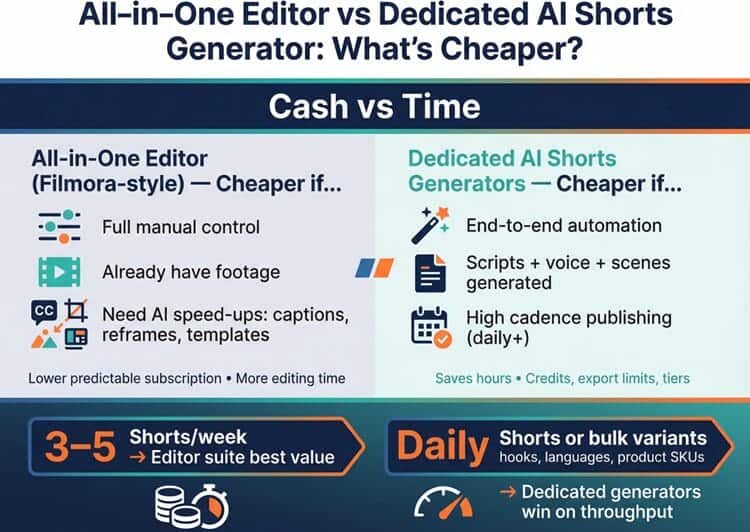
It depends on whether you pay more in cash or time.
- All-in-one editor (Filmora-style) is usually cheaper if you:
- want full manual control,
- already have footage,
- and only need AI for speed-ups (captions, reframes, templates).
You pay a predictable subscription (often lower), but you “pay” with more editing time.
- Dedicated AI Shorts generators (like InVideo AI, HeyGen, Tagshop AI) are usually cheaper if you:
- need end-to-end automation,
- want scripts/voice/scenes generated, or
- must publish at high cadence (daily+).
You save hours, but you’ll often manage credit systems, export limits, and plan tiers.
A simple rule: if you’re posting 3–5 Shorts/week, an editor suite can be the best value. If you’re aiming for daily Shorts or bulk variants (hooks, languages, product SKUs), dedicated generators win on throughput.

Conclusion: Which One Should You Choose?
If you want the best mix of automation and finished output, InVideo AI is the strongest overall “prompt → publish” workflow—especially for faceless channels trying to post daily.
If you’re on a tight budget and need watermark-free exports without paying immediately, Clipfly is the rare tool that makes that possible, as long as you can work within credits.
For creators sitting on long interviews or podcasts, Virbo is the most reliable repurposing choice because auto-reframe and captions are the real time-savers.
If you care most about control and polish, Filmora is the best “real editor” option with AI support.
For online stores and affiliate marketers, Tagshop AI is built specifically for URL-to-product promos.
For avatar-led scaling and localization, HeyGen is the clear winner.
And if your pipeline starts with articles, Pictory is the most straightforward blog/URL-to-Short repurposing tool.
Want help choosing faster?
Create a shortlist of (1) your input type (prompt, URL, long video), (2) your posting frequency, and (3) whether you need voice/avatars—then pick the tool that matches that workflow.