If your LinkedIn photo is still a blurry crop from a wedding five years ago, you’re not alone.
Traditional headshot sessions cost $200–$500, require scheduling, and often involve awkward posing under hot lights.
Yet they matter: A CareerBuilder and Harris Poll survey shows that about 70% of employers review candidates’ social media profiles during the hiring process, and having a LinkedIn profile photo can drive up to 21x more profile views, based on LinkedIn data comparing profiles with photos to those without one.
No wonder so many of us are looking for the best AI headshot generator as a smarter alternative.
AI tools can now deliver studio-quality portraits in under an hour from a handful of selfies.
The trade-off is choice overload: dozens of platforms all claiming “photorealism,” “instant results,” and “enterprise-grade security.”
This roundup cuts through that noise.
We evaluated five leading platforms using a structured framework focused on image quality, likeness, value, speed, usability, and data privacy.
You’ll see how each tool actually performs, what it’s best for, and where it falls short.
By the end, you’ll know which tool to choose whether you’re a solo job seeker, an HR leader rolling out headshots to 500 employees, or a creator who wants AI-powered personal branding photos that don’t look fake.
What Are the Best AI Headshot Generators?
Quick Picks: Editor's Recommendations.
Here is a summarized list of the best AI headshot generators according to your needs:
- Headshot Pro AI – Best overall, and best for large teams and enterprises.
- Instant Headshots AI – Best value for budget-conscious professionals.
- Aragon AI Headshots – Best for creatives and marketers needing editing freedom.
- Studioshot AI – Best for ultra‑realistic, 4K portraits with human retouching.
- Dreamwave AI – Best for privacy‑focused users and advanced editing.
You’ll find a summary comparison table later in the article, ideal if you like to compare AI headshot tools side by side before committing.
The 5 Best AI Headshot Generators Compared
1. Headshot Pro AI
Best for Large teams and enterprises needing secure, on‑brand headshots at scale.
Overview:
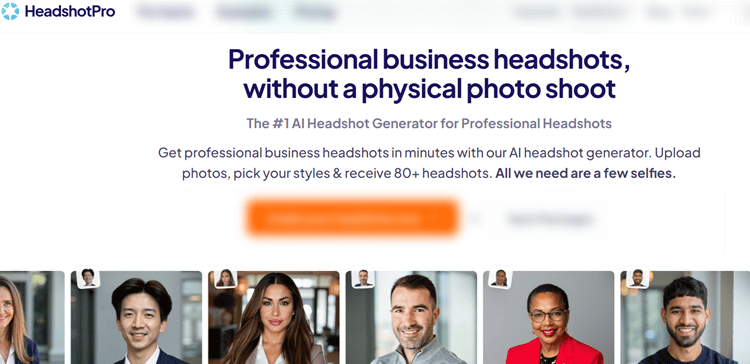
Headshot Pro AI focuses squarely on professional business headshots and company-wide consistency.
It’s used by Fortune 500 companies and remote teams that need secure, on‑brand headshots without coordinating in‑person photo shoots.
Among all the tools tested, it delivers the strongest blend of realism, scalability, and security.
Key Features:
- Photorealistic, business-focused headshots that avoid the “AI plastic” look
- 40–120 images per person with 4–12 style combinations depending on plan
- 200+ backdrops and outfits plus branded profile picture generator
- SOC 2 Type II compliance, data encryption, and strict deletion policies
- Robust admin dashboard, bulk uploads, HRIS and Zapier integrations
User Experience:
For individuals, Headshot Pro is straightforward: upload around 15 selfies, pick your clothing and backgrounds, and wait 1–3 hours.
The interface walks you through each step with visual examples of good vs. bad input photos, which noticeably improves results.
For teams, the admin dashboard is where it shines.
You can define allowed outfits, upload branded backdrops, invite team members via magic links, and track completion status.
Automatic reminders reduce follow‑up headaches, making it especially appealing if you’re responsible for rolling out consistent headshots for a global workforce.
Pricing:
Individuals
- Basic – $29: 40 headshots, 4 preselected combos, 4‑hour turnaround
- Professional – $39: 80 headshots, 8 combos, 2‑hour turnaround, 10 edit credits
- Executive – $59: 120 headshots, 12 combos, 1‑hour priority, 4K resolution, 40 edit credits
Teams
- Starts at $31.20 per member for 10 people (40 headshots + 80 branded PFPs each)
- Lifetime bulk discounts up to 60% as your total seat count grows
All paid plans include a “profile‑worthy” money-back guarantee.
Pros and Cons:
Pros:
- Extremely realistic results, optimized for professional contexts
- Best‑in‑class team management, branding, and automation
- SOC 2 Type II compliance and strong privacy practices
- Great value at scale with permanent tiered discounts
Cons:
- Not the absolute fastest (1–4 hours vs. <1 hour for some rivals)
Best For:
Headshot Pro is ideal for HR leaders, operations teams, and agencies managing 10–1000+ people who want enterprise-ready AI headshots that look consistent and trustworthy across LinkedIn, websites, and internal tools.
Expert Opinion:
If you’re a solo professional, several tools on this list will work.
But if you’re buying for a team or care deeply about security and brand control, Headshot Pro is the safest choice.
The images are realistic, the workflows are mature, and the long-term discounts make it cost-effective.
Get started with Headshot Pro AI.
2. Instant Headshots AI
Best for Budget‑conscious professionals who want fast, no‑hassle LinkedIn upgrades.
Overview:
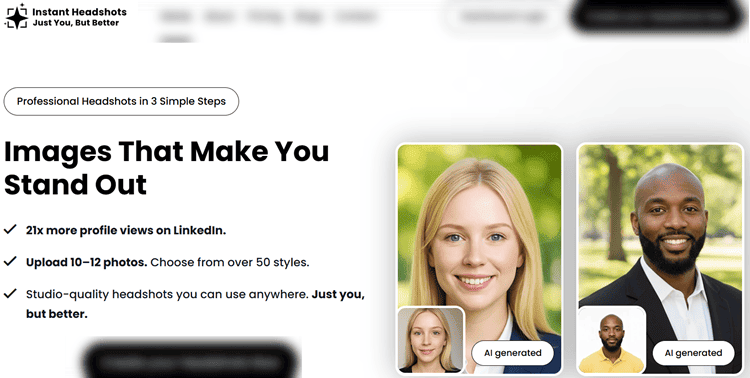
Instant Headshots AI is all about speed and affordability without sacrificing quality.
It specializes in turning everyday selfies into polished, LinkedIn‑ready portraits in about an hour, using a simple 3‑step process and a strong money‑back guarantee.
Key Features:
- 10–12 selfie uploads; no need for a “perfect” photoshoot
- New cropping tool to pull yourself out of group photos
- 40–100 HD photos with 4–10 styles depending on package
- 50+ style options across business formal, casual, and creative looks
- 100% money‑back guarantee within 7 days (before AI processing begins)
User Experience:
Instant Headshots keeps things refreshingly simple.
You upload a batch of casual selfies (or use the cropping tool to extract yourself from group shots), pick a few style packs, and wait roughly 60 minutes.
There’s no complex dashboard or editing studio, which is a plus if you’re overwhelmed by options.
The results are impressive for the price: natural lighting, realistic skin texture, and strong likeness retention.
User testimonials highlight significant jumps in profile views.
Pricing:
- Your First Impression – $39: 40 HD photos, 4 styles (~$0.98/photo)
- The Profile Upgrade – $49: 60 HD photos, 6 styles (~$0.82/photo)
- The Personal Brand – $59: 100 HD photos, 10 styles (~$0.59/photo)
All packages include the same 100% money‑back guarantee (as long as processing hasn’t started).
Pros and Cons:
Pros:
- Excellent price‑to‑quality ratio
- 60‑minute turnaround is faster than most competitors in this price band
- Cropping tool eliminates the need for fresh solo selfies
- Straightforward, beginner‑friendly workflow
Cons:
- Limited post‑generation editing features
Best For:
Instant Headshots is perfect for job seekers, freelancers, and consultants who need 1–3 solid headshots quickly and don’t want to spend more than $40–$60.
It’s also a good solution for first-time AI headshot users who want a low‑friction entry point.
Expert Opinion:
If your priority is getting a professional‑looking photo on LinkedIn today, Instant Headshots is hard to beat.
It may not satisfy enterprises that need SOC 2 compliance or advanced integrations, but as a personal investment, it offers some of the best ROI in the space.
Get started with Instant Headshots AI.
3. Aragon AI Headshots
Best for Creatives and marketers who want deep post‑generation editing and variety.
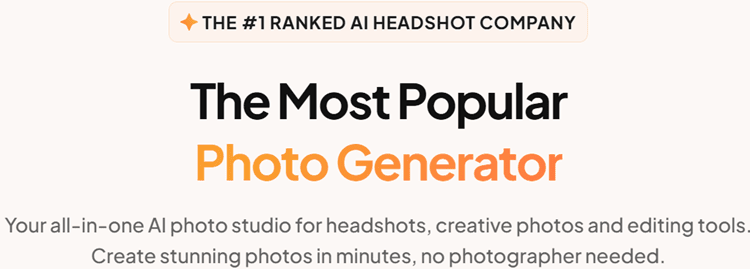
Overview:
Aragon AI Headshots moves beyond basic generation to give users deep creative control.
With its unique Remix feature and a full editing suite, it’s aimed at people who want to iterate on a base headshot—changing backgrounds, outfits, poses, and even applying stylistic filters for different platforms.
Key Features:
- Requires only 6 input photos—lowest of any tool reviewed
- Aragon Remix lets you re‑generate photos with new outfits, backgrounds, and poses
- 25+ editing tools: background/clothing changer, blemish removal, hair/makeup, unblur, color correction, and more
- Fun filters like anime, vintage Polaroid, action figure, and painting conversions
- Individual and team plans, with 1 free redo and flexible refund options
User Experience:
The core generation flow is straightforward: upload six high‑quality selfies, pick attire and backgrounds, and receive up to 100 headshots in minutes.
Where Aragon stands out is what happens after that: you can pick a base photo and endlessly tweak it using Remix and the editing tools.
For marketers, creators, and agencies, this feels like having a lightweight Photoshop built into your headshot platform.
It’s particularly useful if you want to adapt a core portrait into different formats—for pitch decks, thumbnails, or personal brand photos across multiple social networks—without starting from scratch.
Pricing:
Individuals:
- Basic – $35: 40 headshots, 45‑minute turnaround, 1 attire, 1 background
- Standard – $45: 60 headshots, 30‑minute turnaround, 2 attires, 2 backgrounds
- Executive – $75: 100 headshots, 15‑minute turnaround, all attires and backgrounds, enhanced resolution (1792 × 2176)
Teams:
- From $45 per person, with admin dashboards, custom backgrounds, storage, security reviews, and API options on higher tiers.
Pros and Cons:
Pros:
- Richest post‑generation editing toolkit in this roundup
- Only 6 input photos required
- Fast turnaround times (15–45 minutes)
- Strong satisfaction guarantees with redo and refund options
Cons:
- Most powerful features reserved for higher‑tier plans
Best For:
Aragon is ideal for designers, social media managers, creators, and agencies that want to experiment visually and repurpose a single photoshoot across many uses.
It pairs especially well with content repurposing strategies for personal brands where one core image is adapted into dozens of formats.
Expert Opinion:
If you’re the kind of person who loves tinkering with visuals, Aragon will feel like a playground.
The raw headshot quality is strong, but the real magic is Remix and the editing suite.
For headshot‑only use, it might be overkill; for brand builders and marketers, it’s a powerful, flexible choice.
Get started with Aragon AI.
4. Studioshot AI
Best for Professionals who want ultra‑realistic, 4K portraits with human retouching.
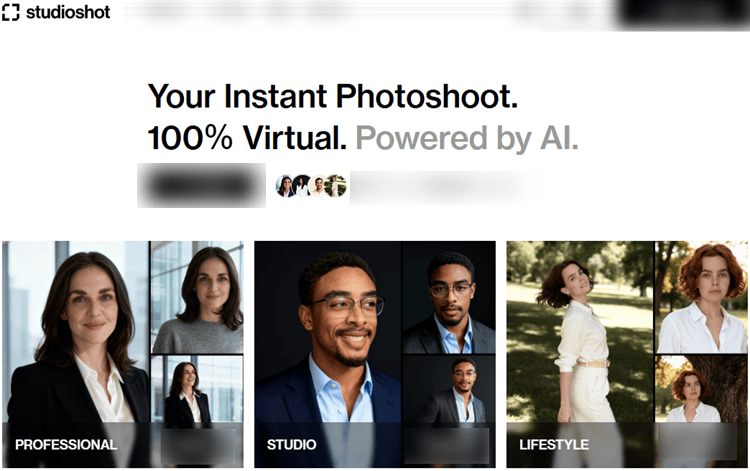
Overview:
Studioshot AI takes a hybrid approach: AI does the heavy lifting, but human photographers review and refine every set before delivery.
The result is some of the most realistic, print‑ready images in this roundup, plus a fast turnaround that suits urgent professional needs.
Key Features:
- AI generation plus human photographer review for every order
- Up to 120 images per order, with up to 3 different style types
- 4K resolution output on higher plans, suitable for print and large displays
- 2–6 free retouches depending on package
- Styles spanning studio, professional, and lifestyle looks
User Experience:
Studioshot’s flow feels more like booking a virtual photoshoot than using yet another app.
You choose your styles (studio, professional, lifestyle), upload about 10 photos from different angles and settings, and then wait 1–3 hours depending on your plan.
The interface is simple and clean, with clear guidance on what kinds of photos to upload.
The standout is the quality of results: facial features are accurate, lighting is cinematic, and backgrounds are composed in a way that mimics a real studio.
For authors, speakers, or real estate agents who care about subtle facial details and texture, this can easily replace an in‑person session.
Pricing:
- Essential – $29: 1 style, 40 images, <3‑hour turnaround, up to 2 free retouches
- Pro – $36: 2 styles, 80 images, <2‑hour turnaround, up to 4 free retouches
- Signature – $45: 3 styles, 120 images, <1‑hour turnaround, up to 6 free retouches
All plans are billed once and come with a 100% money‑back guarantee.
Pros and Cons:
Pros:
- Among the most realistic outputs, especially for 4K portraits
- Human review reduces weird AI artifacts and inconsistencies
- Multiple free retouches for fine‑tuning key photos
- Very competitive pricing given quality and speed
Cons:
- Less emphasis on advanced editing after generation
Best For:
Studioshot is perfect for professionals who need “magazine‑ready” images—speakers, coaches, realtors, authors—and want results that hold up in print, on websites, and in large formats without looking artificial.
Expert Opinion:
If realism is your non‑negotiable, Studioshot should be on your shortlist.
The combination of AI and human retouching yields subtle, flattering portraits that feel like a $400 photoshoot.
Get started with Studioshot AI.
5. Dreamwave AI
Best for Privacy‑focused professionals and organizations needing advanced AI editing.
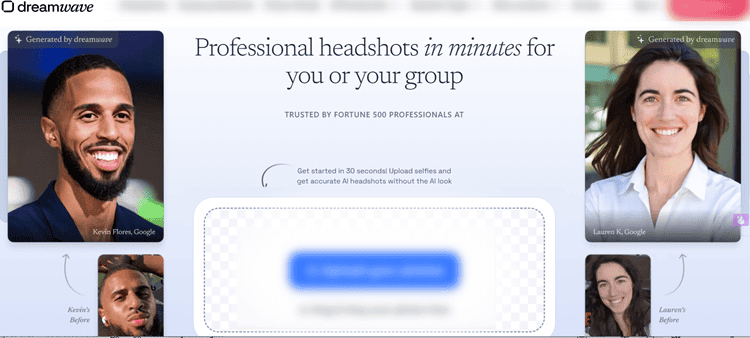
Overview:
Dreamwave AI positions itself as both a privacy‑first platform and an advanced AI editing powerhouse.
It’s built by experienced machine learning engineers and is trusted by hospitals, Fortune 500 companies, and even U.S. government entities—largely because of its strict data policies and US‑only infrastructure.
Key Features:
- 75–300 photos per shoot depending on plan
- Unlimited professional styles—no restriction to 1–2 looks
- Next‑gen AI editor for outfit changes, background swapping, and fine‑tuning
- Strong privacy stance: no training on user data, US‑only servers, auto‑deletion
- Free human touchups on top plan and a 100% happiness guarantee
User Experience:
Dreamwave’s upload process is simple: at least 5 photos (ideally 7–8) from different angles and outfits, with no heavy filters.
After that, the system builds an ultra‑detailed model of your face using high‑end compute, then generates a large gallery of headshots across multiple styles.
The editing experience is where Dreamwave stands out.
Outfit and background changes feel fluid and realistic, giving you the flexibility to tailor a single headshot for different contexts—corporate website, LinkedIn, speaking events, or dating profile photos that still look like you.
The interface remains approachable despite its power, which is rare in advanced AI tools.
Pricing:
- Starter – $35: 75 photos, 8 outfits, 8 backdrops, no redos, no human touchups
- Standard – $59: 150 photos, 10 outfits, 10 backdrops, 1 free redo, no human touchups
- Best Value – $99: 300 photos, 15 outfits, 10 backdrops, 2 free redos, unlimited human touchups
Turnaround is typically around 2 hours, and all plans are backed by a 100% happiness guarantee.
Pros and Cons:
Pros:
- Strongest privacy and data‑protection stance in this roundup
- Unlimited professional styles across each shoot
- Powerful editing for outfits, backgrounds, and fine details
- Trusted by high‑compliance industries
Cons:
- No refunds once processing begins, due to compute costs
Best For:
Dreamwave is ideal for consultants, executives, healthcare professionals, and enterprises that must prioritize privacy while still wanting cutting‑edge visuals.
Expert Opinion:
Dreamwave is less about “cheap and fast” and more about “secure and powerful.”
If your organization has strict requirements around data residency, model training, and encryption, this is one of the few tools that checks those boxes while still delivering excellent image quality.
For content creators, it also opens the door to advanced AI portrait editing workflows without needing Photoshop-level skills.
Get started with Dreamwave AI.
Side‑by‑Side Comparison
To help you choose quickly, here’s a simplified comparison across the five tools:
| Tool | Starting Price | Images (Base Plan) | Turnaround | Editing & Customization | Security & Privacy | Standout Strength |
|---|---|---|---|---|---|---|
| Headshot Pro AI | $29 | 40 | 1–4 hours | Clothing & backdrop changer, edits | SOC 2 Type II, 7–30 day deletion | Best for large teams & enterprises |
| Instant Headshots | $39 | 40 | ~60 minutes | Basic cropping, 50+ styles | Encryption, 30‑day auto‑deletion | Best budget option for fast LinkedIn upgrades |
| Aragon AI | $35 | 40 | 15–45 minutes | Remix + 25+ editing tools | Paid product, standard policies | Deep post‑generation editing and creative variety |
| Studioshot AI | $29 | 40 | <1–3 hours | AI + human retouching (2–6 edits) | 30‑day deletion | Most realistic, 4K‑ready portraits with human review |
| Dreamwave AI | $35 | 75 | ~2 hours | Advanced outfit/background editor | US‑only servers, no training on data | Strongest privacy posture + advanced AI editing capabilities |
A few key takeaways:
- Best for Teams & Enterprises: Headshot Pro leads with SOC 2 compliance, admin tools, and automation.
- Best for Budget‑Minded Individuals: Instant Headshots offers the lowest cost per high‑quality image.
- Best for Creatives/Marketers: Aragon’s Remix and editing suite are unmatched.
- Best for Print‑Quality Realism: Studioshot’s 4K output and human review win here.
- Best for Privacy & Security: Dreamwave stands out with “no training on user data” and US‑only infrastructure.
How These AI Headshot Tools Were Evaluated
Choosing an AI headshot platform is more than picking the prettiest marketing page.
To make this comparison genuinely useful, each tool was tested with the same input photos and scored them on a weighted framework designed for real-world use cases.
Primary criteria:
Image Quality & Realism (40%)
How natural is the lighting? Does skin look textured, or plasticky? Are eyes sharp and lifelike, with believable reflections and depth of field? Can the results pass as a “real” photographer’s work?Likeness Accuracy (25%)
Do you still look like yourself? Is your facial structure kept intact, or does the AI subtly “beautify” you into someone else?Value Proposition (15%)
How many usable images do you get for the price? What’s the cost per photo and per style? Are there guarantees or redos?Turnaround Time (10%)
Can you realistically get polished headshots in time for that last‑minute job application or speaking gig?User Experience (10%)
Is it easy to upload photos, choose styles, and download your favorites? Are there helpful guides and intuitive dashboards?
Secondary factors included data security (SOC 2, deletion timelines), customization (outfits, backgrounds), editing tools, team/bulk pricing, customer support, and refund policies.
All tools were tested using identical photo sets (business casual, neutral expressions) and multiple styles (formal, casual, creative) to assess consistency.
What Is an AI Headshot Generator (and When Is It Better Than Hiring a Photographer)?
Before you pick a tool, it helps to understand how AI headshot generators actually work—and when they’re a smart replacement for a traditional photographer vs. when you might still want a real studio session.
What Is an AI Headshot Generator?
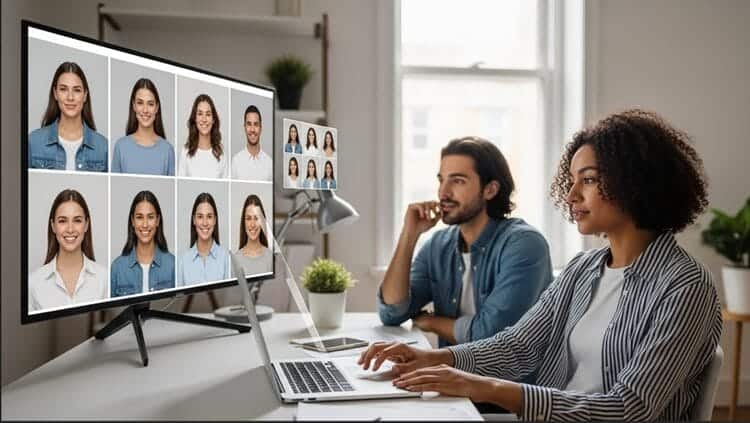
An AI headshot generator is a tool that uses machine learning to create studio-style portraits from your existing photos—usually casual selfies.
Instead of booking a photographer, you:
- Upload a set of photos (typically 5–15 selfies from different angles)
- The AI builds a custom model of your face
- It generates dozens of new images of you in different:
- Backgrounds (office, studio, neutral, on‑location)
- Outfits (blazers, shirts, dresses, etc.)
- Poses and crops (tight LinkedIn crop, wider website hero images)
- You download your favorites and use them on:
- LinkedIn and resumes
- Company websites and “About” pages
- Conference speaker bios and book jackets
- Portfolios, pitch decks, and social media
The result: photographer‑style portraits without the time, cost, or awkwardness of an in‑person shoot.
Tools like Headshot Pro, Instant Headshots, Aragon, Studioshot, and Dreamwave all follow this same basic pattern, but differ in realism, editing power, security, and price.
When AI Headshots Are Better Than Hiring a Photographer
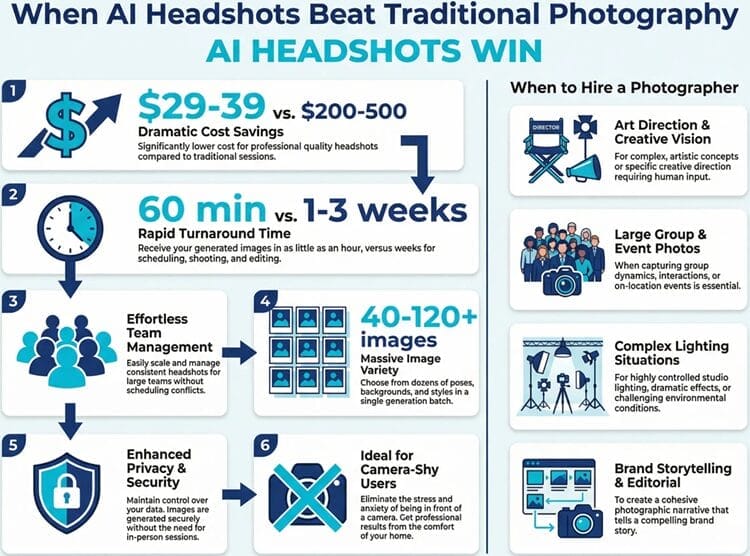
There are plenty of situations where an AI headshot generator is not just “good enough”—it’s actually better than hiring a photographer.
Here’s where AI usually wins:
1. You Need Great Headshots on a Tight Budget
Traditional headshots cost $200–$500+ per person.
All of the tools in this guide start around $29–$39 and deliver 40–120+ images.
That makes AI headshots ideal for:
- Job seekers and career professionals upgrading a LinkedIn photo before a hiring push
→ Best fits: Instant Headshots, Headshot Pro, Aragon - Budget‑conscious freelancers and consultants who want to look credible without dropping several hundred dollars
→ Best fits: Instant Headshots, Studioshot Essential
If your goal is to stop using a cropped wedding photo and look hire‑ready this week, AI gives you more than enough quality for the price.
2. You’re on a Deadline (Interviews, Launches, Conferences)
Coordinating a photographer, picking a date, and waiting for edits can easily take 1–3 weeks. AI tools deliver same‑day:
- Instant Headshots: ~60 minutes
- Aragon: 15–45 minutes
- Headshot Pro / Studioshot / Dreamwave: 1–3 hours
Good use cases:
- Last‑minute interview or internal promotion and you need a LinkedIn‑ready photo today
- Conference speakers and authors asked for headshots for promo materials with a tight deadline
- Startup founders racing to publish a website “Team” page before a launch
In these scenarios, waiting for a studio slot simply isn’t practical.
An AI headshot generator is built for “I need this now” timelines.
3. You’re Managing Headshots for a Whole Team
For HR leaders, operations, and agencies, the real cost of traditional headshots isn’t just the photographer—it’s:
- Scheduling dozens or hundreds of people
- Dealing with sick days, travel, and no‑shows
- Getting consistent lighting, backgrounds, and outfits
AI platforms like Headshot Pro (and to a lesser extent Aragon, Studioshot, and Dreamwave) solve this by:
- Letting remote and hybrid teams take selfies from anywhere
- Applying the same approved outfits and backgrounds across the org
- Generating matching, on‑brand headshots for:
- Slack and email
- CRM profiles
- Public websites
If you’re rolling out headshots to 10–1000+ employees, AI beats traditional shoots on:
- Cost per person
- Logistics
- Brand consistency
Here, Headshot Pro stands out with SOC 2 compliance, admin dashboards, Zapier + HRIS integrations, and lifetime bulk discounts up to 60%, making it the best AI headshot generator for enterprises and large teams.
4. You Want Lots of Options (and Easy Retakes)
A photographer might deliver 10–20 edited photos.
AI tools deliver:
- 40–120+ images per person (more for Dreamwave)
- Multiple poses, crops, outfits, and backgrounds
- The ability to redo or regenerate variants without booking another session
Especially for:
- Marketers and creatives who need different looks for ads, thumbnails, and landing pages
- Founders and creators who want one “hero” headshot plus several alternate looks for different platforms
Tools like Aragon and Dreamwave go further with “Remix”‑style editing that lets you re‑use one good base photo and keep changing the background, outfit, and pose—something you could never do from a single studio image.
5. You Care Deeply About Privacy and Data Control
Many professionals (and especially healthcare, finance, and government) simply can’t upload photos to “mystery apps” with vague policies.
AI headshot platforms such as Headshot Pro and Dreamwave specifically address this with:
- No training on your data (your face is not added to some giant model)
- Strict deletion timelines (e.g., 7–30 days)
- Encryption at rest and in transit
- US‑only infrastructure (Dreamwave) and SOC 2 Type II compliance (Headshot Pro)
If your company has security reviews, DPA requirements, or data‑residency rules, these platforms are often safer and more auditable than sending everyone's photos to different local photographers.
6. You Hate Being in Front of a Camera
Some people simply don’t want to stand under studio lights while a stranger tells them how to pose.
AI solves for:
- Camera anxiety or discomfort
- Neurodivergent employees who prefer asynchronous, low‑pressure workflows
- People who just don’t like how they look in traditional shoots
With AI:
- You can take selfies in your own space
- Upload as many as you like
- Review results privately and only share the ones you like
Platforms like Instant Headshots, Headshot Pro, and Studioshot are designed to be “if you can take a selfie, you can do this” simple.
When a Real Photographer Still Makes Sense
AI isn’t a replacement for every scenario.
A traditional photographer might still be better when:
- You need complex, art‑directed shoots (e.g., editorial magazine spreads, cinematic campaigns, or elaborate on‑location concepts)
- You’re shooting groups together in one frame (team or company photos where people are interacting in the same shot)
- You require very specific lighting setups or creative direction on the day
- Your brand values a behind‑the‑scenes shoot (for PR, employer branding, or culture storytelling)
If your project is more “brand film” than LinkedIn makeover, consider hiring a photographer—or combining both (e.g., AI headshots for the team, real shoot for a key campaign).
Which AI Headshot Features Matter Most for LinkedIn, Resumes, and Portfolios?
Once you know AI is right for you, the next step is understanding which features actually matter for career‑focused use cases like LinkedIn, resumes, and professional portfolios.
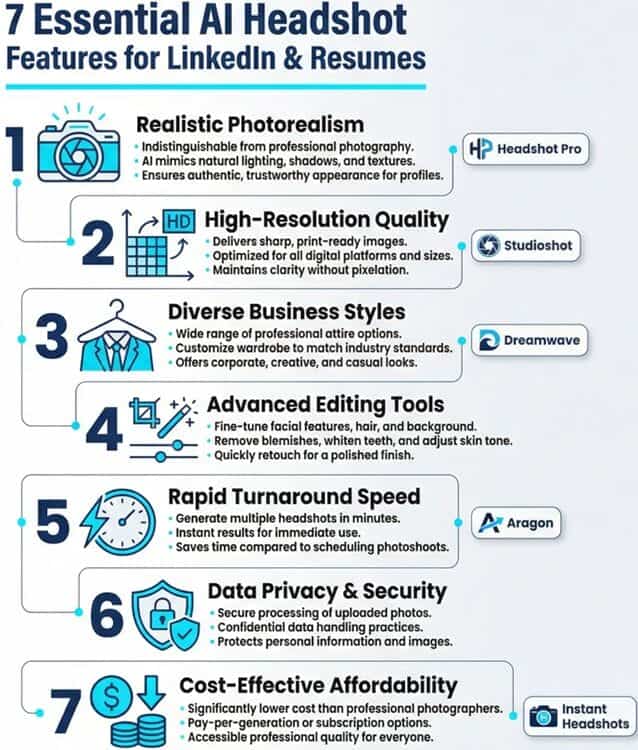
Below are the high‑impact features to prioritize—with notes on which tools in this roundup do them best.
1. Realism and “Likeness” (No AI Plastic Look)
For professional platforms, the bar is simple:
Your headshot should look like you—on your best day, not like a filtered avatar.
Key things to look for:
- Natural skin texture (no heavy airbrushing or waxy shine)
- Sharp, lifelike eyes with believable catchlights
- Accurate facial structure (no shrinking noses, widening jaws, or swapped features)
- Consistent likeness across multiple images
Why it matters for:
- LinkedIn & resumes: Recruiters and clients will meet you on Zoom or in person—the photo has to match reality to maintain trust.
- Portfolios: Designers, developers, and creatives want images that feel human, not uncanny.
Best tools for realism & likeness:
- Studioshot – AI + human photographer review and retouching; excellent for 4K, print‑ready realism
- Headshot Pro – Optimized for business headshots, widely used by Fortune 500 teams
- Dreamwave – Known for “no AI look” and strong performance across diverse skin tones
If professional perception is your top priority, prioritize tools that explicitly focus on realism and provide money‑back guarantees if you don’t get at least one “profile‑worthy” photo.
2. Resolution and Crop Flexibility
Different platforms have different size and crop requirements:
- LinkedIn: Recommends 400×400 px or higher; square crop
- Personal websites / speaker pages: Often need wider, landscape formats
- Portfolios and print: Benefit from high‑resolution (up to 4K) files
Important resolution features:
- High base resolution (HD or better) so you can crop without losing sharpness
- 4K or print‑ready options if you plan to use images on banners, posters, or book covers
- Ability to export in portrait and landscape orientations
Best tools for resolution:
- Studioshot – 4K‑ready images; ideal for print and large displays
- Headshot Pro Executive – 4K resolution, portrait or landscape, print‑ready
- Aragon Executive – Enhanced resolution 1792 × 2176 for high‑quality output
For LinkedIn and resumes only, HD from Instant Headshots or Aragon Basic/Standard is usually enough.
For speakers, authors, and real estate agents who print materials, look at the higher‑tier plans that mention 4K or print quality.
3. Business‑Appropriate Styles (Outfits and Backgrounds)
A great AI engine doesn’t help if your options are:
- Distracting backgrounds
- Overly casual looks when you need boardroom‑level polish
- Styles that clash with your industry norms
For professional use, focus on tools that offer:
- Business formal and business casual attire (not just trendy or “fun” styles)
- Neutral, office, or studio backgrounds that won’t compete with your face
- The ability to lock in company‑approved styles (for teams)
Why this matters:
- LinkedIn and resumes: Your clothing and backdrop communicate your seniority, industry fit, and personal brand in milliseconds.
- Portfolios and agency sites: Consistent style across team members makes your brand look intentional and buttoned‑up.
Best tools for professional styling:
- Headshot Pro – 200+ business‑ready outfits and backdrops, plus branded profile pictures for teams
- Instant Headshots – 50+ styles across business formal, casual, and creative looks
- Dreamwave – Unlimited professional styles per shoot; easy to adapt one photo to multiple contexts
If you’re HR or a founder, look for admin controls that let you pre‑select acceptable outfits and backgrounds so employees don’t accidentally pick something off‑brand.
4. Editing and Customization Options
For career use, you don’t usually need heavy “beauty filters,” but light‑touch editing and flexibility are extremely useful:
- Background changes to match LinkedIn, company site, and conference pages
- Outfit tweaks when you love the pose but want a different color or style
- Minor retouching (blemish removal, flyaway hair fixes, lighting tweaks)
These capabilities let you:
- Start from one excellent base headshot
- Adapt it into multiple variations for:
- Company bio
- Speaker one‑sheet
- Casual social profiles
- Avoid booking a new shoot every time your brand evolves
Best tools for editing power:
- Aragon – Remix + 25+ editing tools (background, clothing, blemishes, unblur, color correction, etc.); ideal for creatives and marketers
- Dreamwave – Advanced outfit and background change tools plus human touchups on the top plan
- Headshot Pro – Built‑in clothing and backdrop changer, LinkedIn preview, basic style tweaks
If you just want one good LinkedIn photo, heavy editing might be overkill.
If you’re a content creator, marketer, or agency, robust editing can save you hours in Photoshop.
5. Turnaround Time
Speed isn’t everything—but it matters if you’re:
- Updating your LinkedIn ahead of a recruiter call
- Preparing pitch decks or press kits for an upcoming launch
- Delivering headshots to a client as part of a branding package
Turnaround benchmarks from this roundup:
- Fastest (minutes):
- Aragon: 15–45 minutes
- Instant Headshots: often around 60 minutes
- Same‑day (1–3 hours):
- Headshot Pro
- Studioshot
- Dreamwave
For most professionals, same‑day delivery is more than enough.
If you’re truly in a rush, prioritize tools promising under an hour—just know that the highest‑realism platforms intentionally take a bit longer to avoid the “AI plastic” look.
6. Data Privacy, Security, and Ownership
If you’re a privacy‑conscious professional, work in a regulated industry, or are buying for a large team, this is not optional.
Key questions to ask:
- Is the tool SOC 2 compliant or independently audited?
- Are my photos used to train their model?
- When are my photos and generated headshots deleted?
- Where are the servers located (important for some regions and industries)?
- Do I own full commercial rights to my images?
Standout platforms for security and ethics:
- Headshot Pro
- SOC 2 Type II compliant
- No training on your photos
- Input photos deleted after 7 days; AI headshots after 30 days
- Full commercial rights for users
- Dreamwave
- US‑only infrastructure
- Explicit “no training on your data” guarantee
- Automatic 30‑day deletion, with custom policies available for enterprises
- Instant Headshots, Aragon, Studioshot
- Offer encryption, 30‑day deletion, and full commercial rights—sufficient for most individuals
If you’re running HR or IT for a larger org, it’s worth looping in security stakeholders and choosing a provider like Headshot Pro or Dreamwave that can pass security reviews and offer custom agreements.
7. Value for Money (Cost per Usable Photo)
Most tools promote “40–300 photos”, but the real question is:
How many keepers will you confidently put on LinkedIn, your website, or in a pitch deck?
To judge value:
- Look at the base price and the number of images
- Consider how many styles are included (formal, casual, creative)
- Factor in:
- Print‑ready resolution?
- Human retouching included?
- Redo / refund policies?
High‑value options for individuals:
- Instant Headshots
- From $39 for 40 photos in 4 styles
- Very strong price‑to‑quality and speed
- Headshot Pro Professional
- $39 for 80 headshots across 8 combos
- Higher realism + edit credits and money‑back guarantee
- Studioshot Essential
- $29 for 40 images + up to 2 human retouches
High‑value options for teams:
- Headshot Pro Teams
- From $31.20 per member for 80 headshots + 80 branded PFPs
- Permanent bulk discounts up to 60%
- Admin dashboards, HRIS/Zapier integration
If you only need 1–2 strong LinkedIn headshots, any plan in the $30–$60 range is a reasonable investment.
For teams, the economics shift heavily toward Headshot Pro and other tools with real bulk pricing.
How to Match Features to Your Use Case
To quickly map features to your situation:
- “I just need a better LinkedIn photo this week.”
→ Prioritize: realism, speed, price
→ Tools to start with: Instant Headshots, Headshot Pro, Studioshot - “I’m building a long‑term personal brand across platforms.”
→ Prioritize: editing tools, variety of styles, higher resolution
→ Tools to start with: Aragon, Dreamwave, Headshot Pro Executive - “I’m HR / ops and we need consistent headshots for 50–500 people.”
→ Prioritize: admin dashboards, security, bulk discounts, branding controls
→ Tools to start with: Headshot Pro, then consider Aragon Teams or Dreamwave for niche needs - “I need print‑quality, ultra‑realistic portraits for speaking and media.”
→ Prioritize: 4K resolution, human retouching, likeness accuracy
→ Tools to start with: Studioshot, Headshot Pro Executive, Dreamwave Best Value
By focusing on these core features—realism, resolution, style options, editing, speed, security, and value—you can move beyond marketing claims and choose the best AI headshot generator for your specific goals and budget.
Conclusion: How to Choose Your Best‑Fit AI Headshot Tool
All five tools in this roundup can replace a traditional $300 photoshoot for most professionals.
The right choice depends on your priorities.
If you’re leading a company or large team and need secure, branded headshots at scale, Headshot Pro is the most complete solution.
For solo professionals on a budget, Instant Headshots delivers quick, credible results at a fraction of the cost.
Creatives and marketers who love experimentation will gravitate toward Aragon’s Remix and editing tools.
If realism and print quality are non‑negotiable, Studioshot’s AI + human review is a compelling hybrid.
And if privacy is paramount, Dreamwave gives you advanced editing with best‑in‑class data protection.
As you decide, think about how you’ll actually use your images: LinkedIn, speaking pages, dating apps, or a full personal branding photo system across platforms.
Consider your budget, your timeline, and how much control you want over editing after the initial shoot.
Whichever platform you choose as your personal AI headshot generator, treat these photos as an investment in your career.
When paired with strong positioning, a clear story, and thoughtful online presence, a great headshot can open doors you never knew were there.